
Domain Name Analyzer Desktop User Guide
Editing Domain Workspace Rows and Notes
Editing Display Domains
The display domain is the domain text shown in the Domain Workspace. Editing it helps you correct mistakes or adjust how a domain appears in your project.
When to Edit a Display Domain
Edit a display domain when you find a typo, imported the wrong value, or need to correct the domain after reviewing imported data. Use care when changing a domain because lookup results and related details are tied to the domain record.
Making a Change
Select the domain row and use the available editing control for the display domain. Enter the corrected domain and save or confirm the change when prompted.
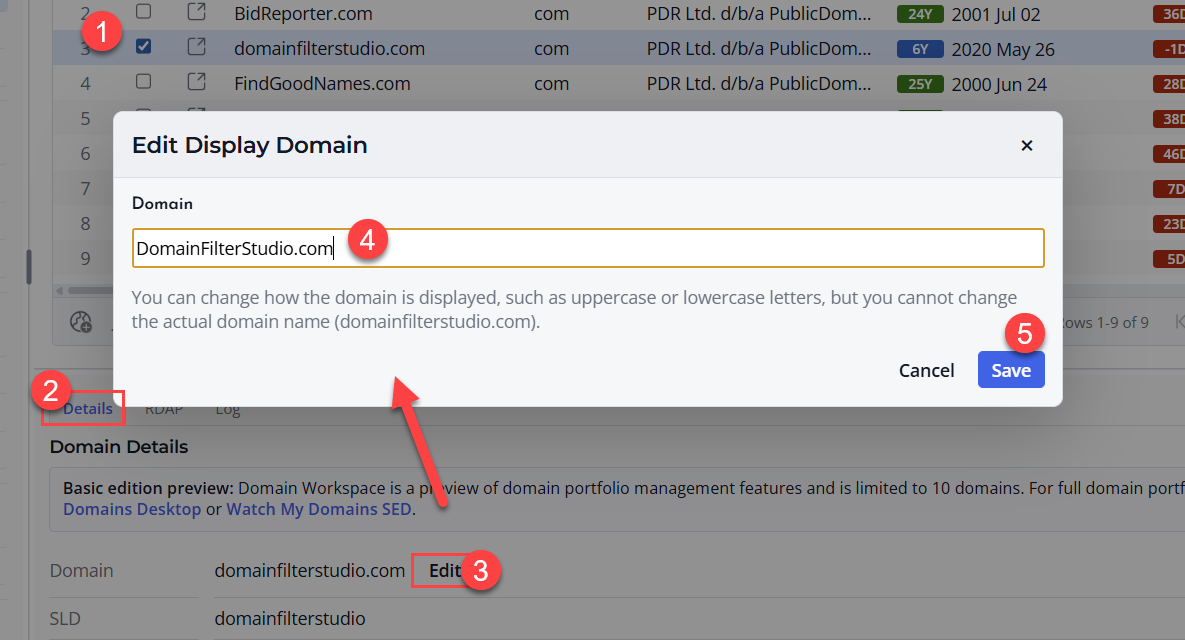
After Editing
After changing a display domain, review any related lookup status or details. If the domain value changed significantly, run fresh lookups so the row reflects the corrected domain.
Good Editing Practice
Use domain-only values where possible, such as example.com. Avoid storing full URLs, paths, tracking codes, or unrelated notes in the display domain field.
Using Notes A, Notes B, Notes C, and Notes D
Notes A, Notes B, Notes C, and Notes D are editable note fields in the Domain Workspace. They give you flexible places to store short user-entered information about each domain.
Why There Are Multiple Note Fields
Multiple note fields let you separate different kinds of comments. For example, you may use one note field for renewal reminders, another for ownership notes, another for project notes, and another for follow-up actions.
Editing Notes
Select a domain row and edit the note fields available in the workspace. Keep notes concise so they remain easy to scan in the table and details pane.
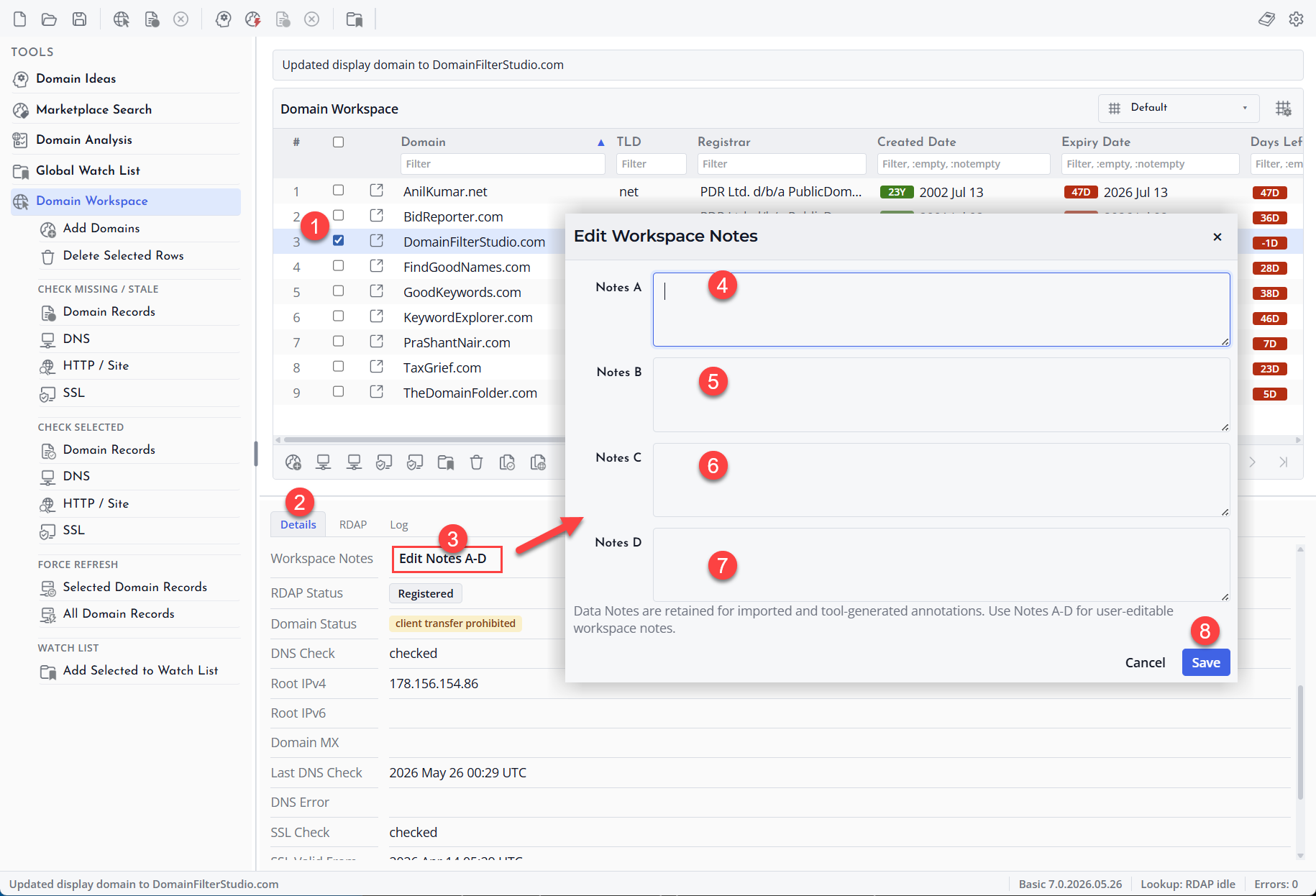
Suggested Uses
You can use the note fields for portfolio categories, customer references, internal reminders, acquisition ideas, renewal concerns, or any other short text that helps you manage the domain.
Notes Are User Data
Notes are meant for your own project organization. They are separate from automatically retrieved domain data such as registrar, expiry date, name servers, or RDAP status.
Understanding Data Notes
What Data Notes Are
Data Notes are information messages stored with a domain record. They help explain what happened during import, cleanup, lookup, or other domain-processing steps.
Data Notes are different from your editable Notes A, Notes B, Notes C, and Notes D fields. Data Notes are mainly for context, while the note fields are for your own labels, reminders, comments, and review work.
When to Review Data Notes
Review Data Notes when a domain record needs explanation. For example, a note may help you understand why a value was cleaned, why a lookup did not return a field, or why an imported line produced a warning.
How to Use Data Notes
Use Data Notes as supporting information when checking a domain record. If you need to record your own decision, use one of the editable note fields instead.
