
Domain Name Analyzer Desktop User Guide
Using the Global Watch List
What Is the Global Watch List?
A Reusable List Across Projects
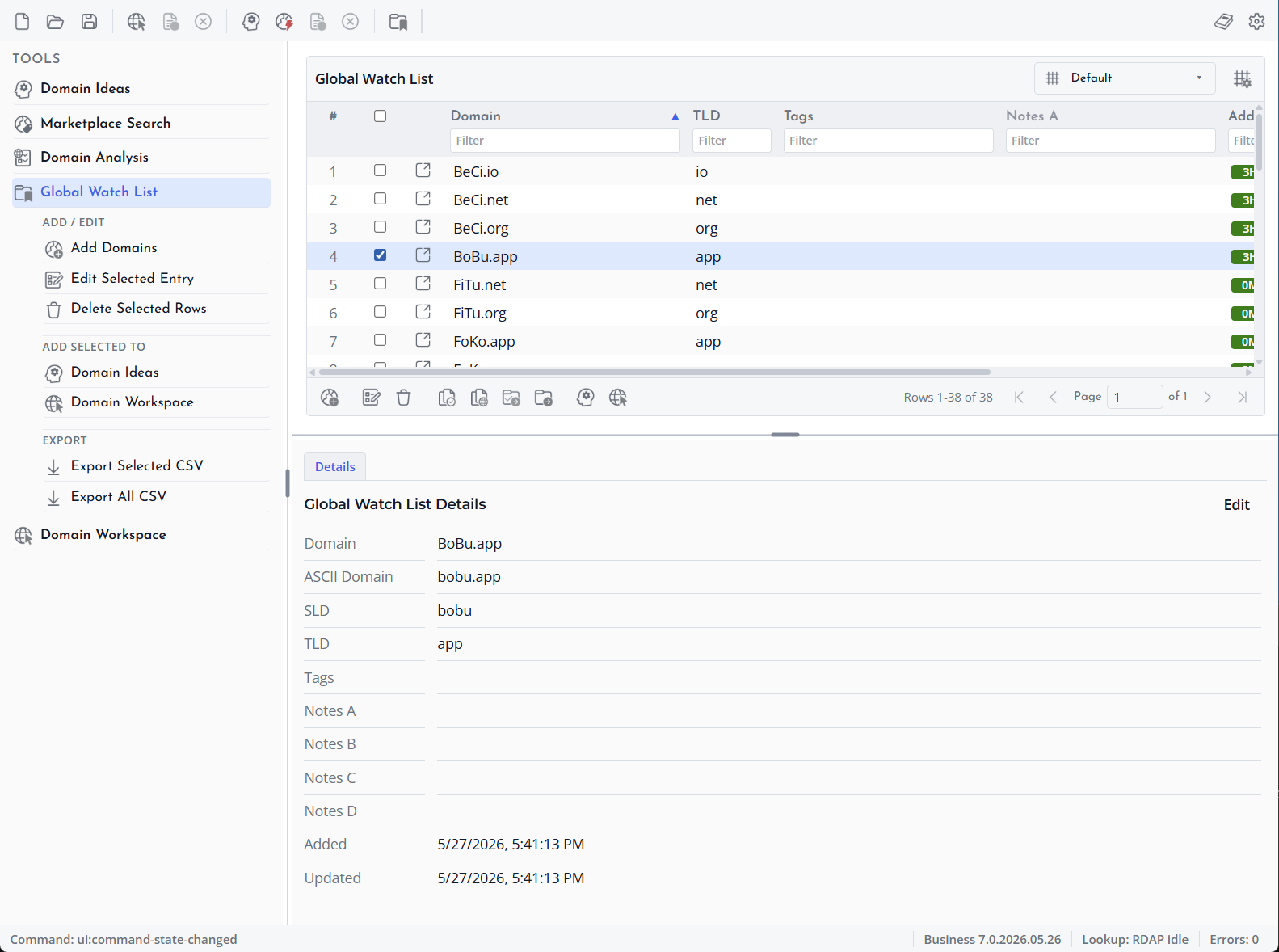
The Global Watch List is an application-wide list for domains you want to keep handy outside a single project. It is useful for domains you often review, names you may want to track later, and reusable domain sets.
How It Differs from a Project
A project stores the domains and lookup data for a specific work file. The Global Watch List is separate from project files and can be used as a source when adding domains to Domain Ideas or the Domain Workspace.
Common Uses
Use the Global Watch List for favorite domains, competitor names, acquisition targets, brand variants, or domains you frequently reuse in different projects.
Adding Domains to the Global Watch List
Open the Watch List
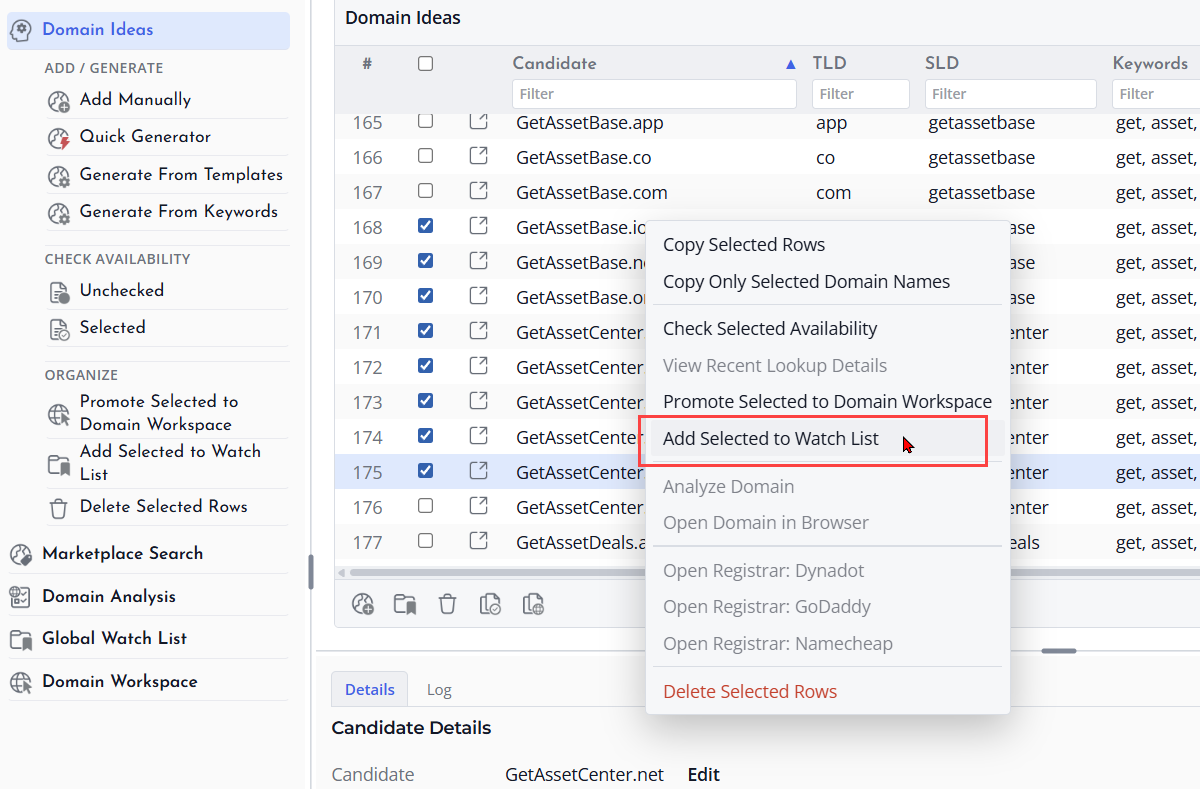
Open the Global Watch List from the application tools or menu area. The view shows domains saved to the application-wide list, not just to the current project.
Add Domain Names
Use the add action to enter one or more domain names. Enter clean domain names such as example.com rather than full web addresses when possible. If pasted text contains extra spacing or mixed case, review the added rows after saving.
Review the New Rows
After adding domains, check the table for spelling, duplicates, tags, and notes. The Watch List is meant to be reusable, so it is worth keeping entries clean.
Editing Watch List Entries
Select an Entry
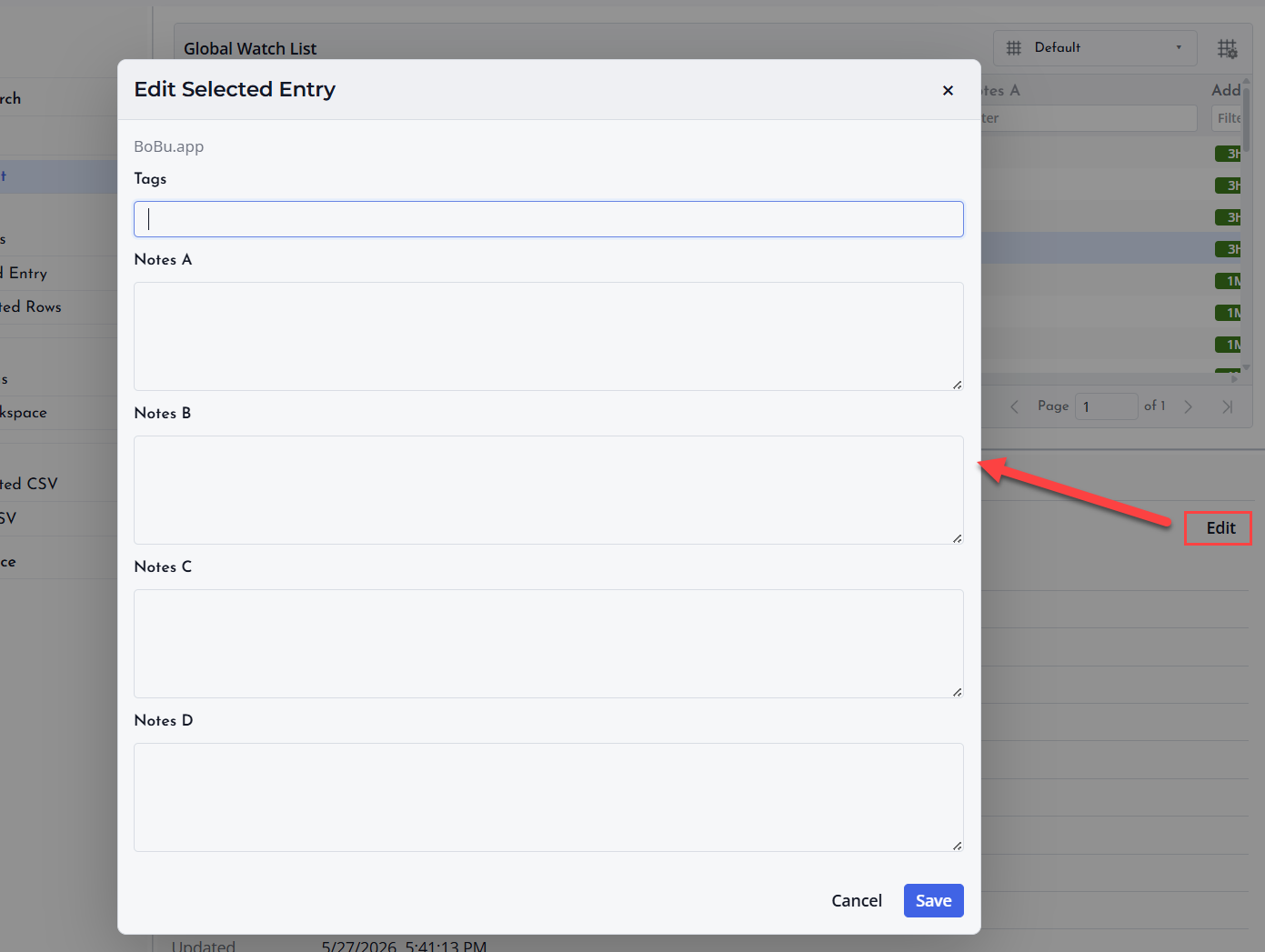
Open the Global Watch List and select the row you want to edit. You can update details such as the display name, tags, or notes depending on the visible columns and available actions.
Make the Change
Edit the entry carefully and save the change. Changes apply to the Global Watch List entry itself and can affect how that domain appears the next time you use the Watch List as a source.
Keep Entries Consistent
Use consistent spelling, short tags, and clear notes. This makes the Watch List easier to scan and more useful when sending selected domains to other parts of the application.
Using Tags and Notes
Use Tags for Grouping
Tags help you group Watch List entries by purpose. You can use tags for brands, clients, campaigns, markets, renewal priorities, or any other grouping that helps you find domains later.
Use Notes for Context
Notes are for short reminders about why a domain matters. A note can mention a possible use, a related brand, a renewal concern, or an action you want to take later.
Keep Text Short
Short tags and concise notes are easier to read in tables. Put only the most useful information in these fields.
Deleting Watch List Rows
Select Rows to Delete
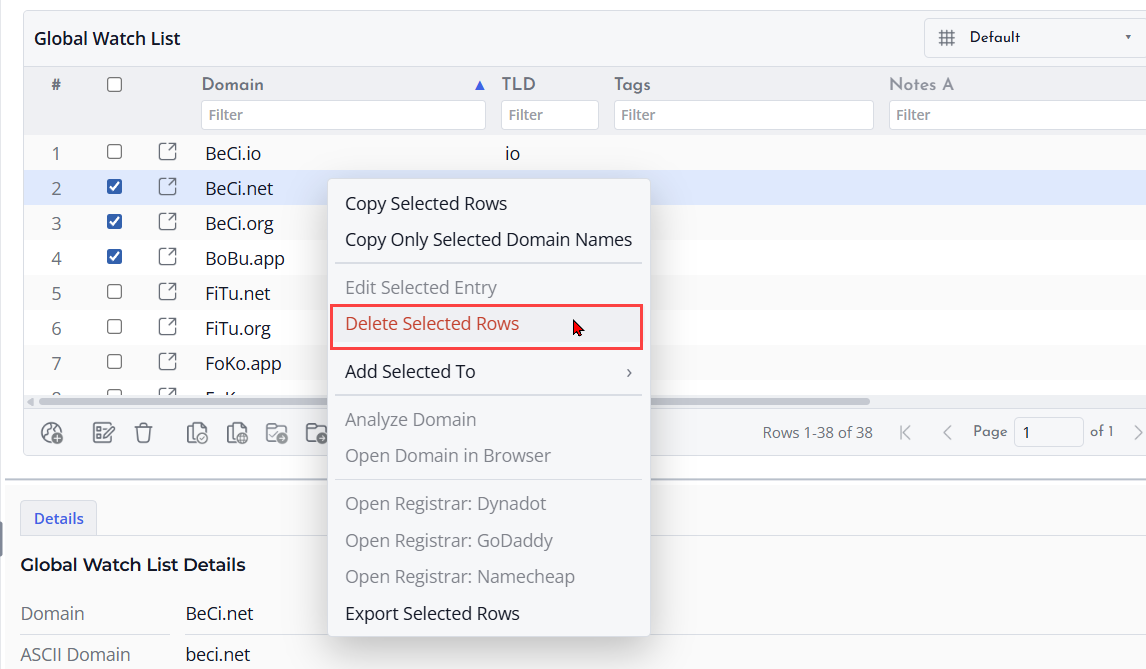
Open the Global Watch List and select the rows you no longer want to keep. Review the selection carefully because the Watch List is shared across your application use, not limited to one project.
Delete the Selected Rows
Use the delete action to remove the selected rows from the Global Watch List. This does not automatically remove matching domains from existing project files.
Export First When Needed
If you are unsure whether you may need the entries later, export the Watch List before deleting rows.
