
Domain Name Analyzer Desktop User Guide
Understanding Domain Records, RDAP, and Lookup Data
What RDAP Lookups Add to a Domain Record
Registration Details
Domain-record lookups can add registration-related details to domain records. These details may come from RDAP or WHOIS depending on the TLD and the available lookup path. Typical fields include registrar, created date, updated date, expiry date, domain status, registrant country when provided, and name server information.
Why RDAP Data Helps
Domain-record data helps you understand whether a domain is registered, when it may expire, which registrar is associated with it, and whether the registry or registrar returned useful status information.
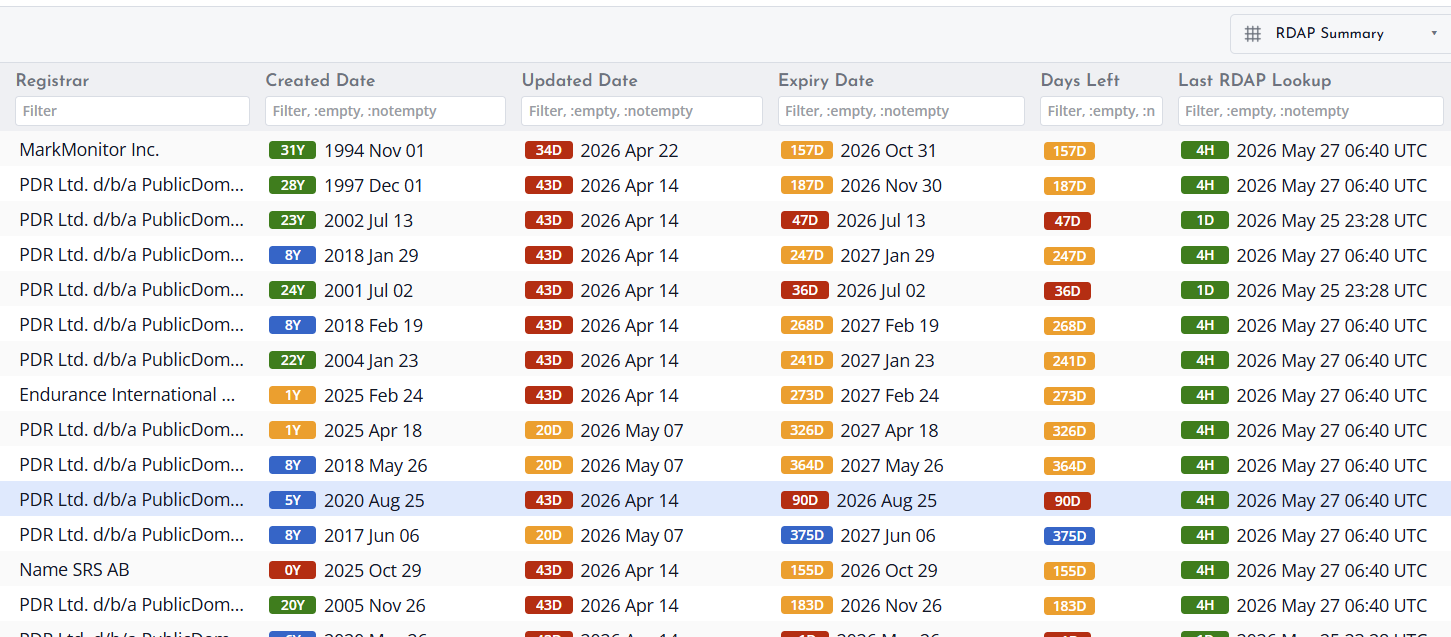
Data Depends on the Registry
The amount of detail can vary by TLD, registry, registrar, and privacy rules. Some fields may show No data, Field not provided, or Lookup failed depending on the response.
Understanding Domain Status and RDAP Status
Two related status areas
Domain status describes what Domain Name Analyzer Desktop currently understands about the domain record. RDAP status describes the result of the RDAP lookup process, such as whether the lookup has not been run, completed, failed, or returned limited information.
Common status wording
Use status wording carefully. Not Checked means no lookup has been run. No Data means the application does not currently have useful data for that field. Field Not Provided means the source did not provide that specific field. Lookup Failed means the lookup could not be completed successfully.
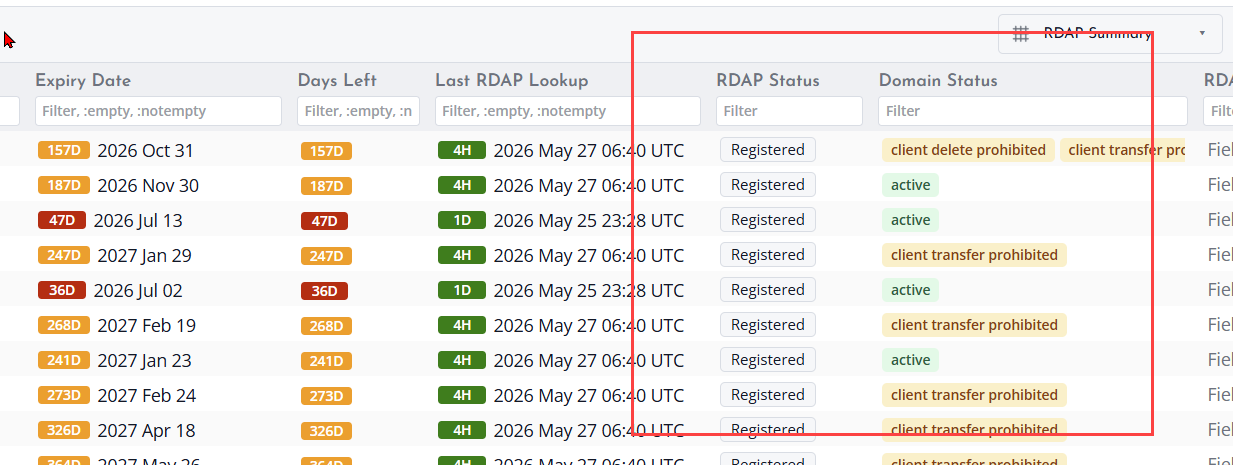
Avoiding availability confusion
Do not read missing RDAP fields as proof that a domain can be registered. A domain may be registered even when some RDAP fields are missing, hidden, or unavailable from the source response. Use availability-specific checks when you need availability guidance.
