
Domain Name Analyzer Desktop User Guide
Promoting and Removing Candidate Domains
Promoting Candidates to the Domain Workspace
What Promotion Does
Promoting a candidate copies or moves the selected candidate domain into the Domain Workspace so it can be managed as part of the tracked project data.
Choose Good Candidates
Promote candidates that you want to track, research further, organize, or include in project exports. You do not need to promote every generated name.
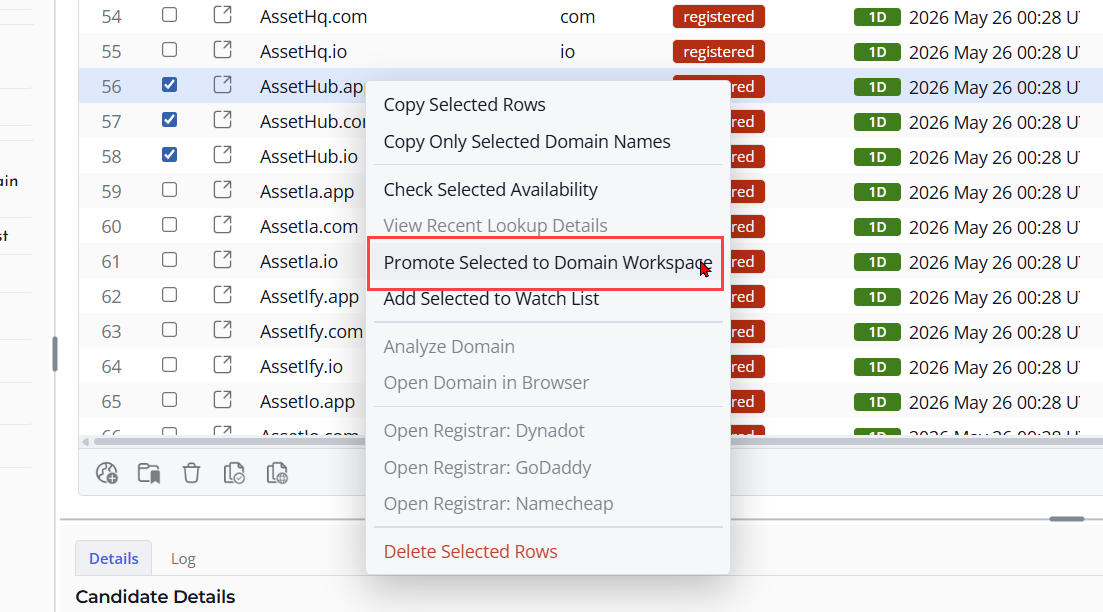
Review After Promotion
After promotion, switch to the Domain Workspace and confirm that the domains were added correctly. Add notes or run lookup actions as needed.
Removing Candidate Rows
When to Remove Candidates
Candidate rows are temporary ideas. You can remove rows that are duplicates, no longer interesting, mistyped, or outside the naming direction you want to explore.
Select the Rows
Open Domain Ideas and select the candidate rows you want to remove. Review the selected rows before deleting them, especially if you have already checked availability or added notes.
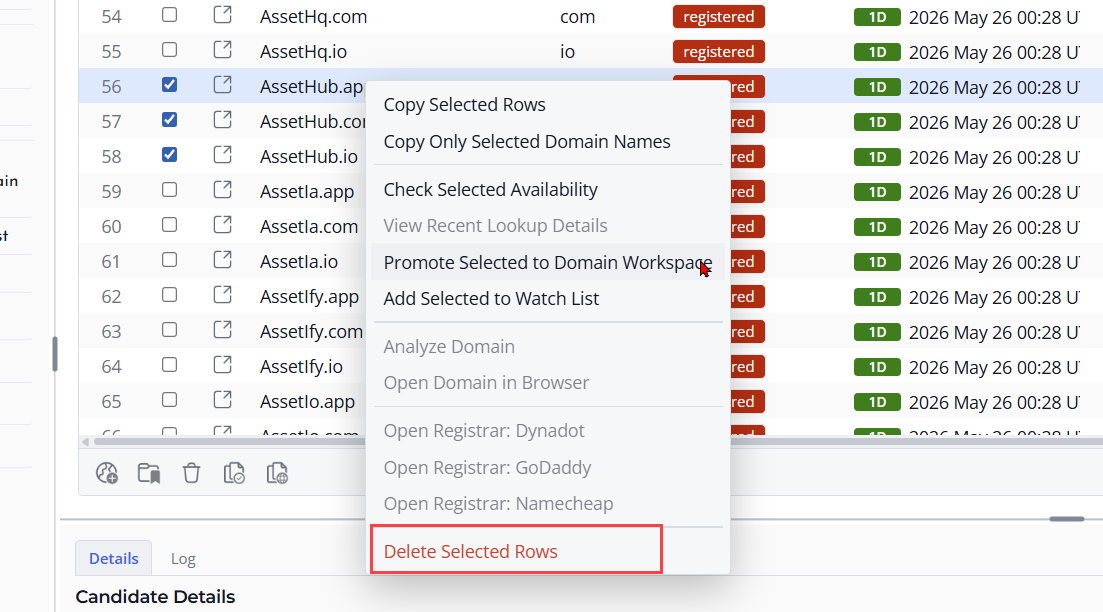
Remove the Candidates
Use the remove or delete action for the selected candidate rows. This clears them from the candidate list. It does not remove domains that have already been promoted to the Domain Workspace.
Keep Important Candidates First
If a candidate should remain part of your project, promote it to the Domain Workspace before removing it from the candidate list.
