
Domain Name Analyzer Desktop User Guide
Marketplace Search
What Marketplace Search Does
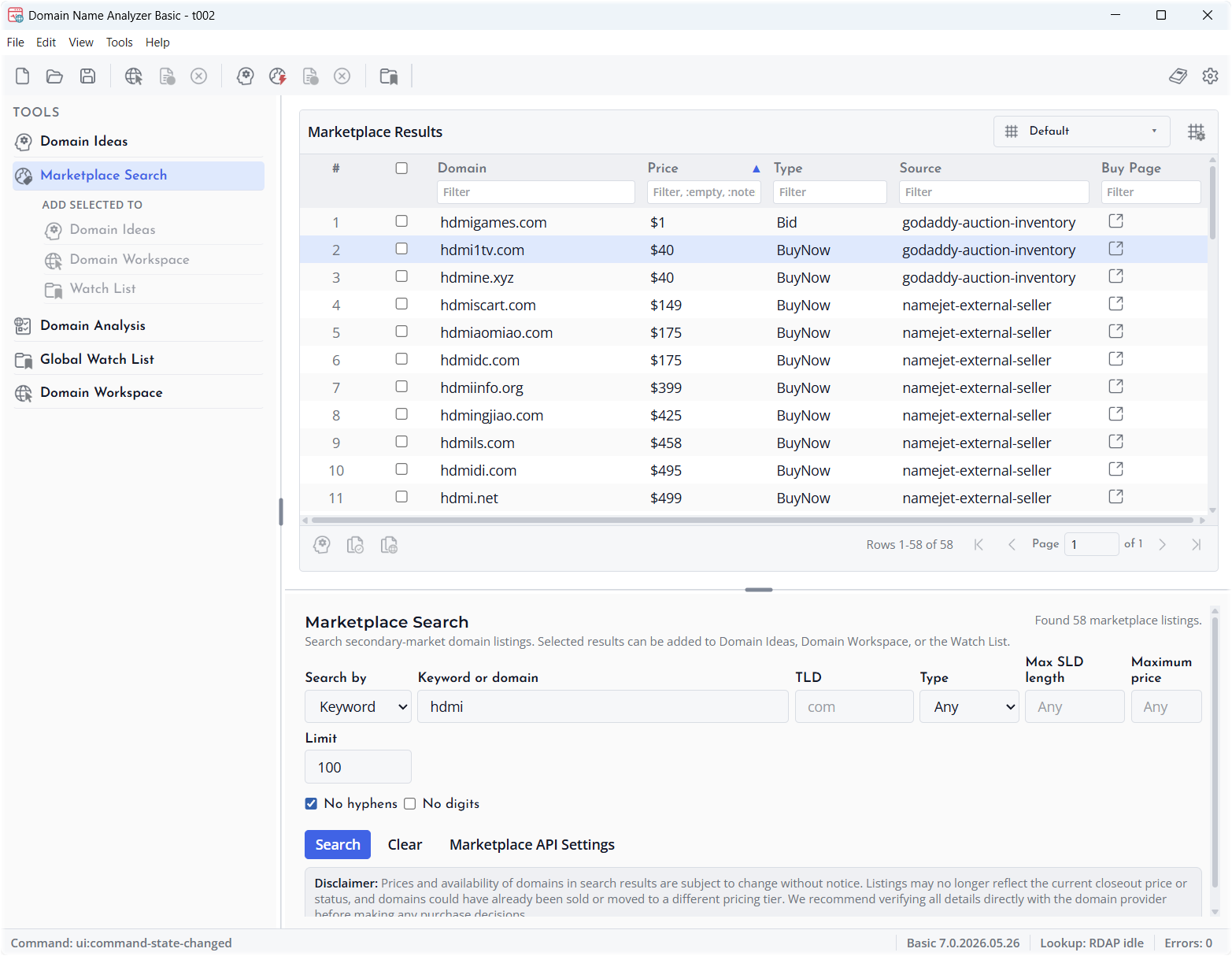
Marketplace Search helps you search secondary-market domain listings from inside Domain Name Analyzer Desktop. It is intended for discovery and review. Prices and availability can change, so always verify a listing directly with the domain provider before making a purchase decision.
Opening Marketplace Search
Open Marketplace Search from the left tools pane or from the Marketplace Search menu. The search panel appears in the main workspace and keeps its own search controls and result table.
Keyword Search
Use Keyword mode when you want to search by a word, phrase, or domain-style pattern. The keyword field supports wildcard-style searches such as a word at the beginning, a word at the end, or a word contained inside the domain name.
Pattern Search
Use Pattern mode when you want names that match a letter, number, consonant, or vowel structure. Examples include CVCV, CVC-N, LLLL, LLL-NN, and 3L2N. Do not mix L with C or V in the same pattern because L/N patterns and C/V/N patterns are separate search types.
Filters
You can narrow results by TLD, listing type, maximum SLD length, maximum price, result limit, hyphen preference, and digit preference. Press Search to run the query and Clear to reset the form.
Using Marketplace Results
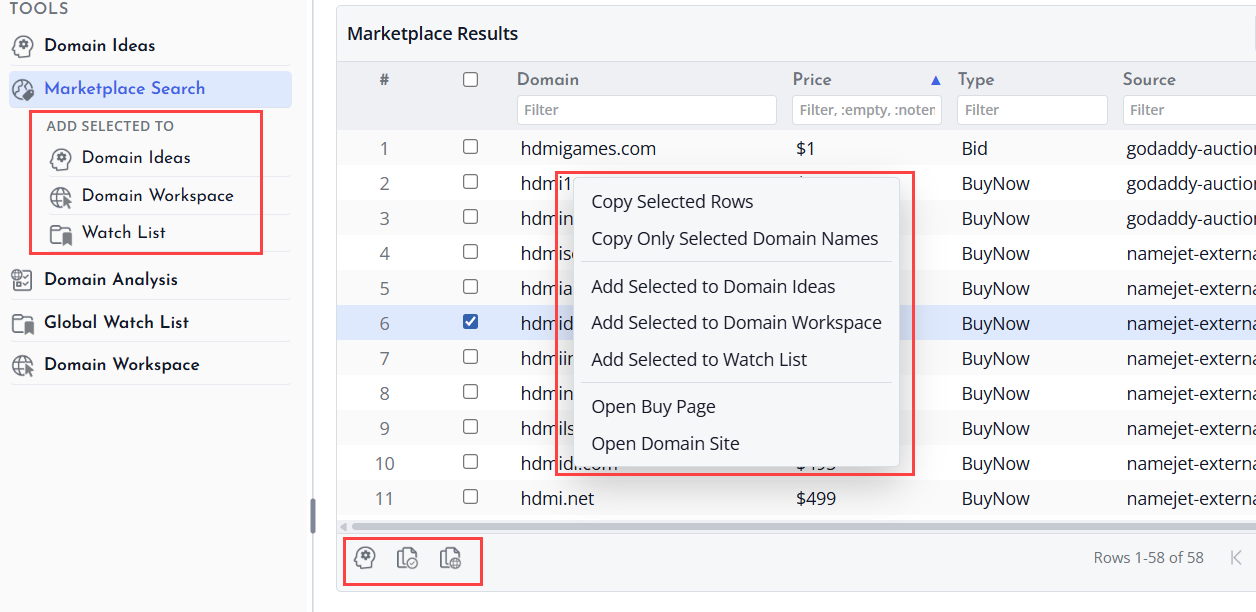
Marketplace results appear in a table so you can sort, filter, select, copy, and export rows in the same style used by other Domain Name Analyzer Desktop tables.
Opening Buy Pages and Domain Sites
When a result includes a buy page, use the Buy Page action to open the provider listing in your browser. You can also open the domain site where supported to inspect the domain directly.
Sending Results to Other Areas
Add selected marketplace results to Domain Workspace when you want to track them more seriously, add notes, run lookups, or include them in your project data. Add selected results to Domain Ideas when you want to compare them with generated or manually entered candidates. Add selected results to the Global Watch List when you want to remember them outside the current project workflow.
Marketplace Disclaimer
Marketplace listings can change without notice. A listed price, closeout status, auction status, or availability state may no longer be current by the time you review the result. Always verify all details directly with the provider before making a purchase decision.
