
Domain Name Analyzer Desktop User Guide
Generating Domain Ideas
Using Quick Generator
What Quick Generator Does
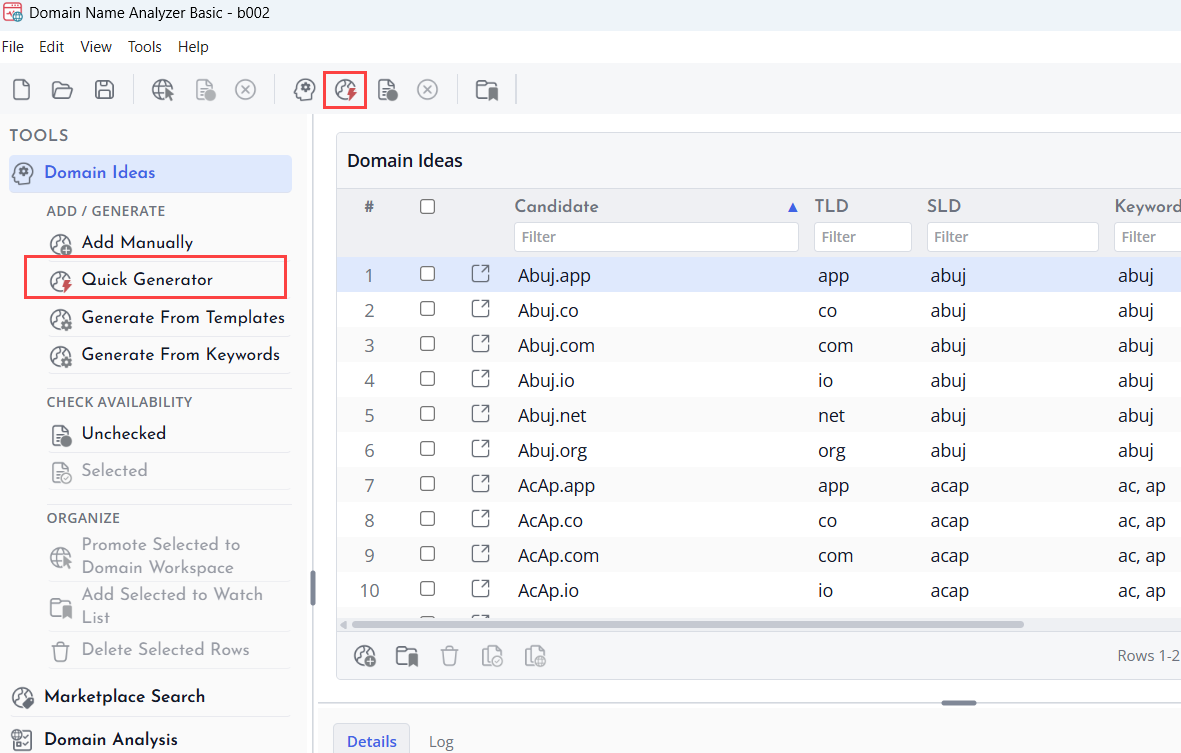
Quick Generator helps you create candidate domain ideas quickly from built-in word patterns and simple generation settings.
Use it when you want a fast starting list without building a detailed template or keyword set.
Generate a Candidate Set
Choose the Quick Generator action, review the available options, and generate candidates. The new candidates appear in Domain Ideas for review.
Review Before Checking
Generated names should be reviewed before availability checking. Remove names that are off-topic, too long, difficult to read, or outside your naming goals.
Generating From Templates
How Templates Help
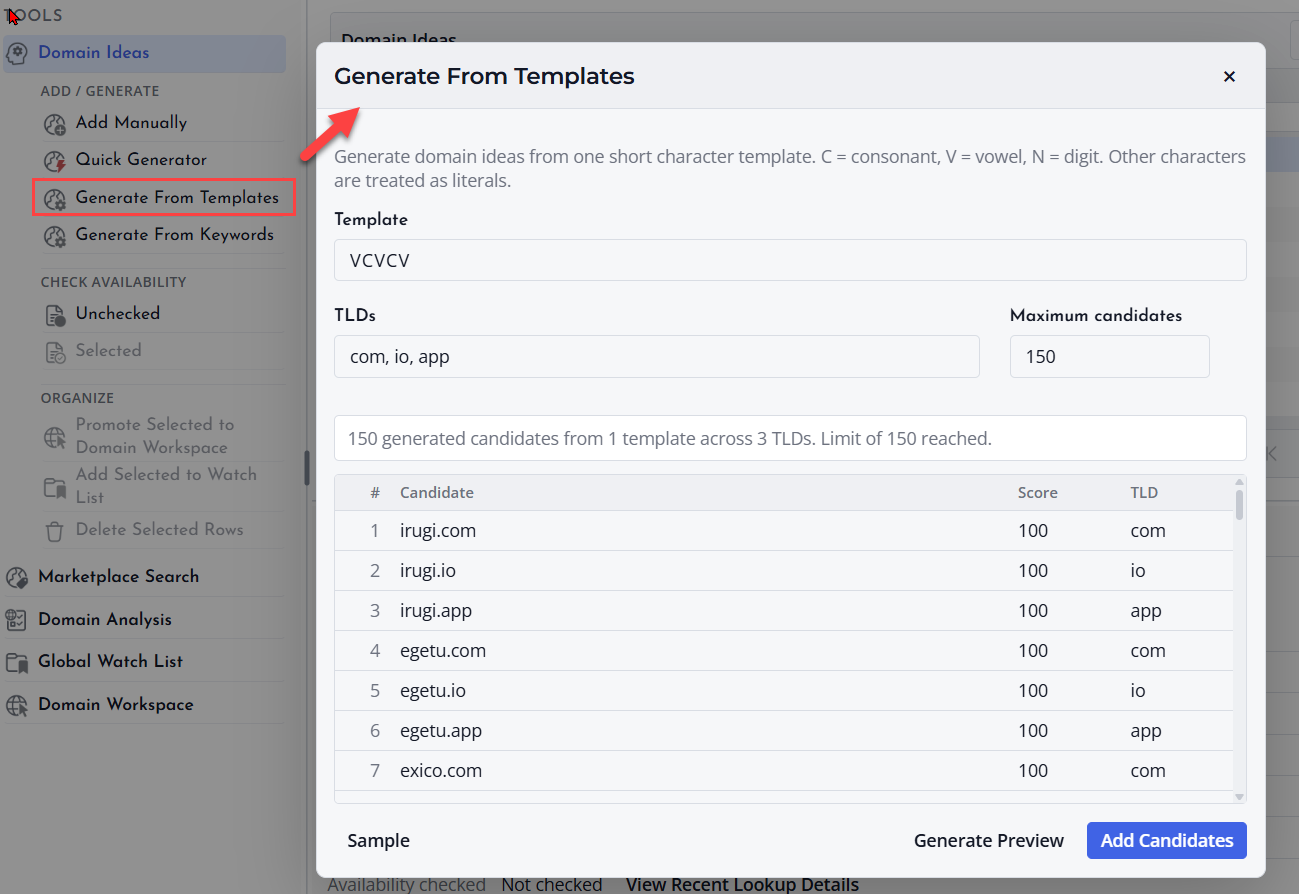
Templates let you create candidate domains from repeatable naming patterns. They are useful when you want names with a consistent structure, such as a prefix, keyword, and suffix.
Create or Choose a Template
Open the template generator from Domain Ideas and choose the pattern you want to use. Enter the words or values required by the template and preview the resulting candidates before adding them.
Use Templates Carefully
Templates can create many candidate names. Start with a focused pattern so that the results remain easy to review and useful for availability checks.
Generating From Keywords
What Keyword Generation Does
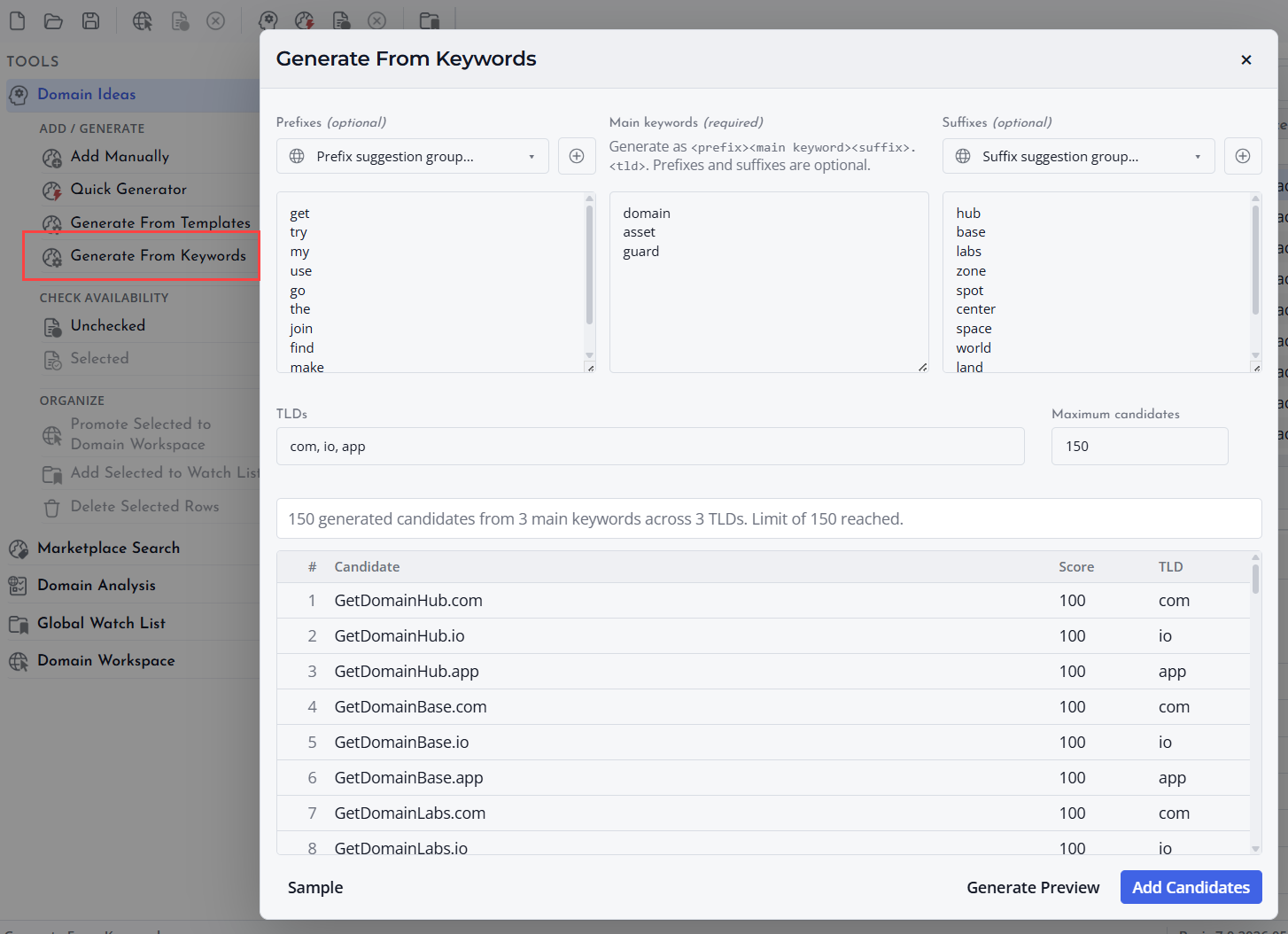
Keyword generation creates candidate domains from words you provide. It can help you explore combinations, variations, and naming ideas around a product, service, brand, or topic.
Enter Focused Keywords
Use clear and relevant keywords. A smaller, focused keyword list often produces better candidate names than a large list of unrelated words.
Review Generated Names
After generation, review the candidate list for readability, spelling, length, and relevance. Remove weak candidates before running availability checks.
Using TLD Lists
What TLD Lists Are
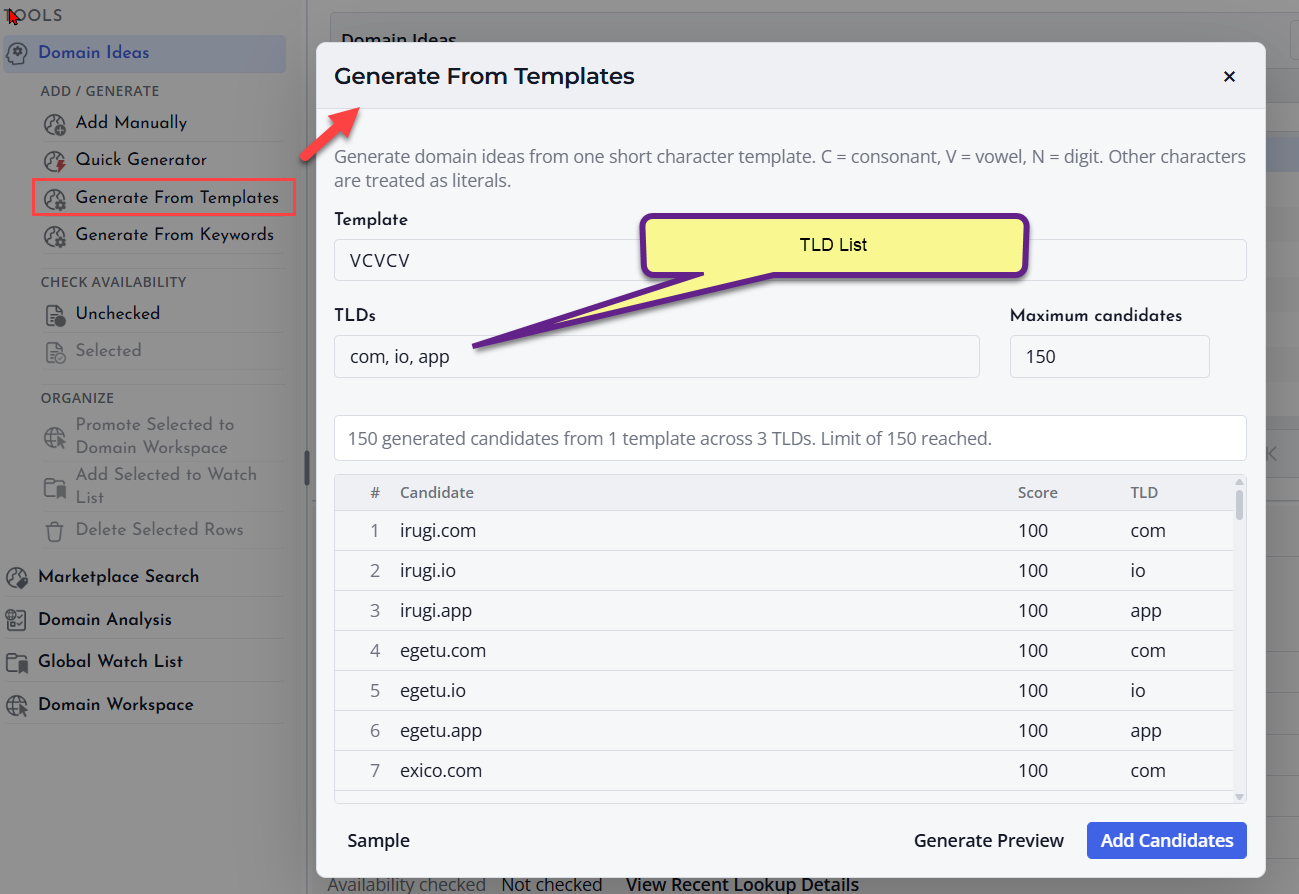
A TLD list controls which domain extensions are used when creating or checking candidate domains. Examples include common extensions and any other extensions you choose to consider.
Choose Relevant Extensions
Select extensions that match your project goals. A business naming project may need a focused set of commercial extensions, while a research project may use a broader list.
Keep Lists Manageable
Using too many extensions can create more candidates than you need. Start with the most relevant extensions, then expand the list if you need more options.
