
Domain Name Analyzer Desktop User Guide
Preferred Registrar Links
What Preferred Registrar Links Do
Quick Access to Registrar Searches
Preferred registrar links let you open a selected domain at registrar search pages you commonly use. This helps you move from domain review to registrar checking without manually copying and pasting each name.
How Links Are Used
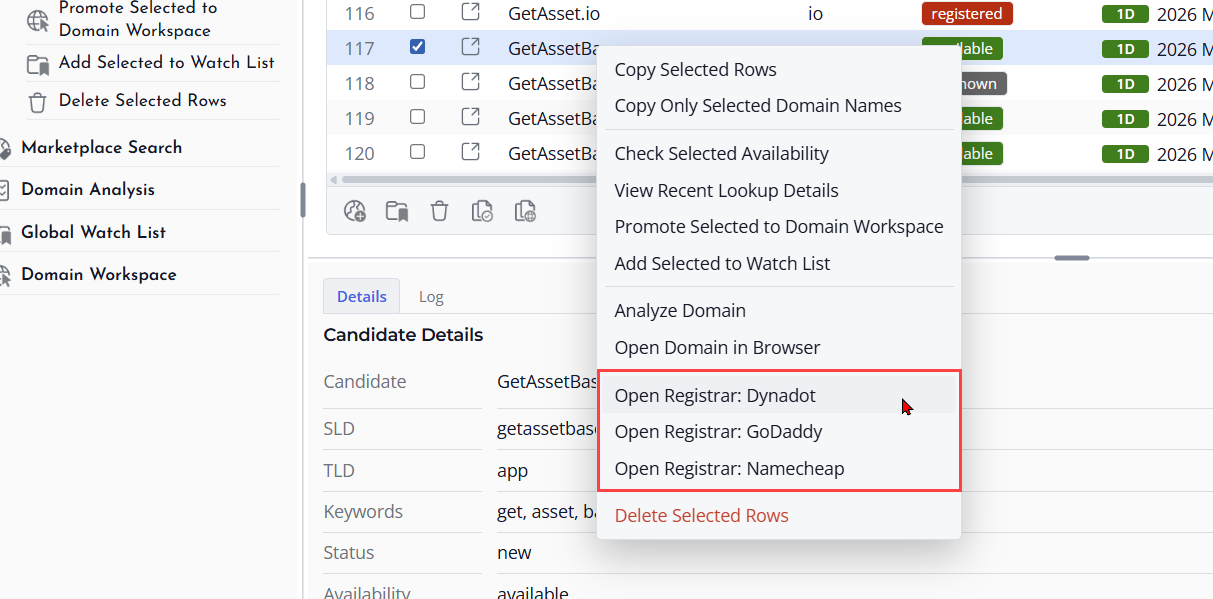
When you use a registrar action from a supported domain table, Domain Name Analyzer Desktop opens the selected registrar search link for the domain.
Keep Multiple Registrars
You can keep more than one preferred registrar so you can compare search results, pricing, or registration options across services you trust.
Adding a Registrar Link
Open Preferred Registrars
Open Preferences and go to Preferred Registrars. Use the add action to create a new registrar entry.
Enter a Useful Name
Give the registrar link a clear name so you can recognize it later in menus or actions. Use the registrar or service name rather than a vague label.

Enter the Search Template
Add the search URL template used by the registrar. The template should be set up so the selected domain can be inserted into the registrar search page.
Test the Link
After saving, test the registrar link with a sample domain. Confirm that it opens the expected registrar search page.
Using Registrar Templates
What Templates Do
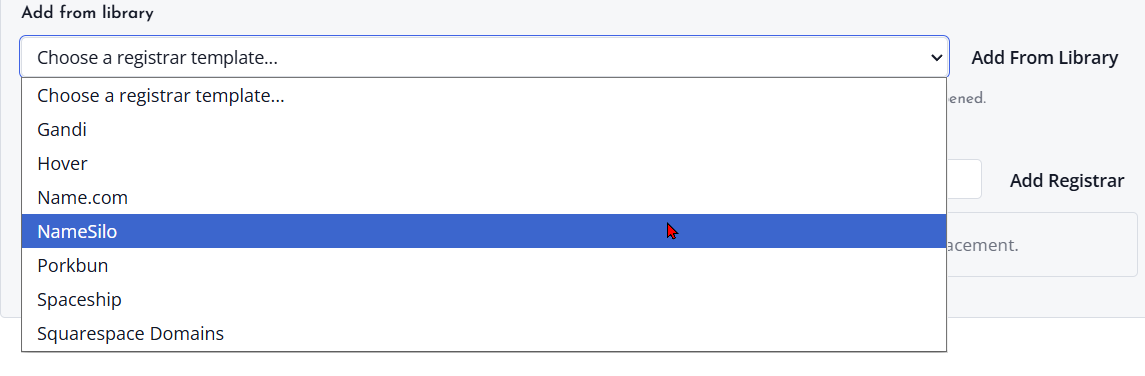
Registrar templates define how a selected domain is placed into a registrar search URL. A correct template lets the application open the right search page for each selected domain.
Use Known Working Formats
When available, start with an existing or known working template. This reduces the chance of creating a link that opens the registrar home page instead of a domain search page.
Update Templates When Sites Change
If a registrar changes its website, the old template may stop working. Edit the template and test it again with a sample domain.
Ordering Registrar Links
Why Order Matters
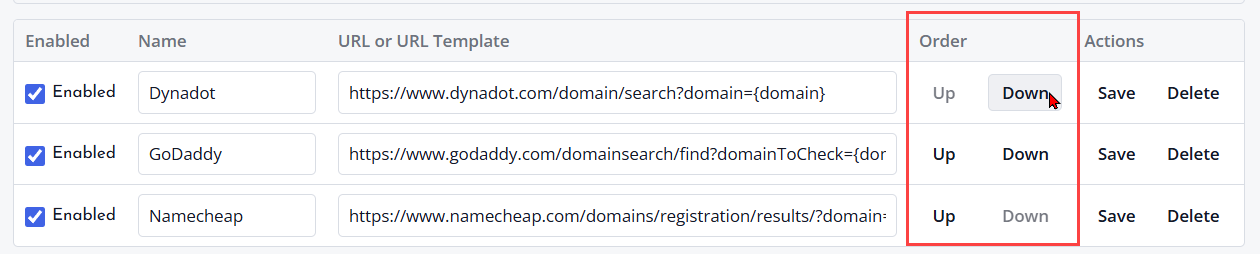
The order of preferred registrar links controls how they appear in supported menus or selection lists. Put the services you use most often near the top.
Move Links Into Place
Open Preferred Registrars in Preferences and use the available move or reorder controls. Keep similar registrar links grouped together when that helps your workflow.
Review the Menu
After changing the order, return to a domain table and check how the registrar actions appear. Adjust the order again if needed.
Opening Registrar Searches from Domain Tables
Select a Domain
Open a domain table such as the Domain Workspace or Domain Ideas, then select the domain you want to search at a preferred registrar.
Choose a Registrar Action
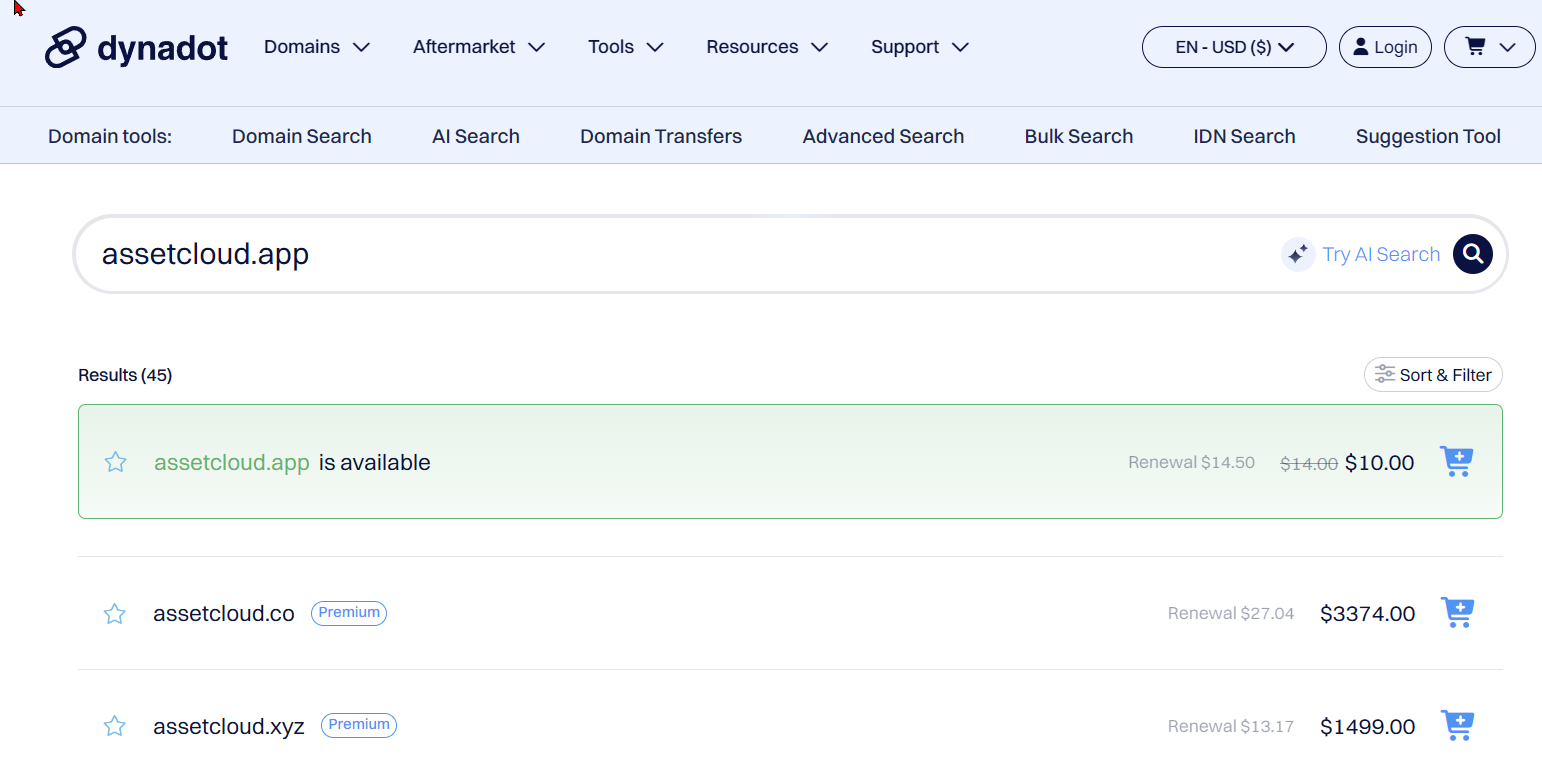
Use the available registrar search action and choose the registrar you want to open. The application opens the selected domain using the configured registrar link.
Check the External Page
Review the registrar page carefully. Availability, pricing, and purchase options are controlled by the registrar website, not by Domain Name Analyzer Desktop.
