
Domain Name Analyzer Desktop User Guide
Sending and Exporting Watch List Entries
Adding Selected Watch List Rows to Domain Ideas
Select Watch List Rows
Open the Global Watch List and select the domains you want to evaluate as candidates. You can select one row or multiple rows.
Send to Domain Ideas
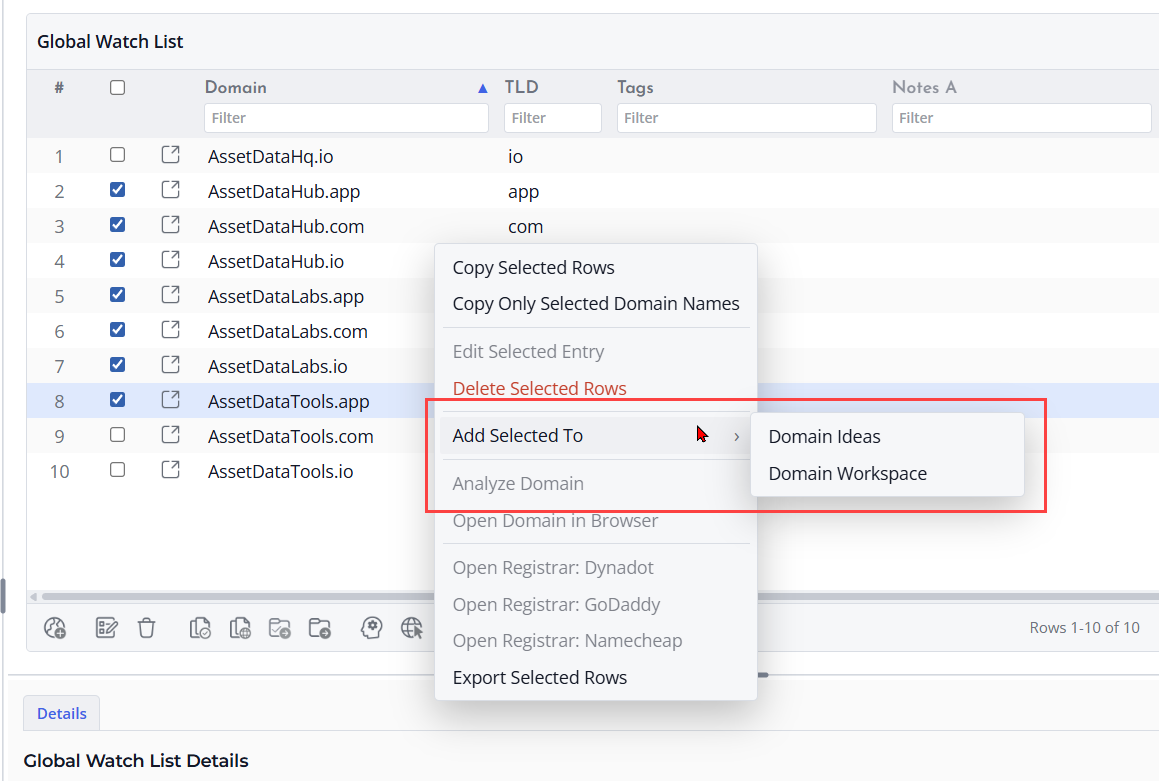
Use the action that adds the selected Watch List rows to Domain Ideas. The domains become candidate rows that you can preview, check for availability, and promote later if they are useful.
Continue in Domain Ideas
After adding rows to Domain Ideas, review the candidate list before running availability checks. Remove anything that is clearly outside your naming goal before using lookup actions.
Adding Selected Watch List Rows to the Domain Workspace
Select the Domains
Open the Global Watch List and select the domains you want to add to the current project. This is useful when the domains are already important enough to track in the Domain Workspace.
Add to the Workspace
Use the action that adds the selected Watch List rows to the Domain Workspace. The domains become part of the current project and can be included with other tracked domain records.
Review the Project Rows
After adding the domains, switch to the Domain Workspace and check the new rows. Run lookups later if you need fresh registration or status data.
Exporting the Global Watch List
Why Export the Watch List
Export the Global Watch List when you want a separate copy of important domains, need to share a list, or want to keep a backup outside the application.
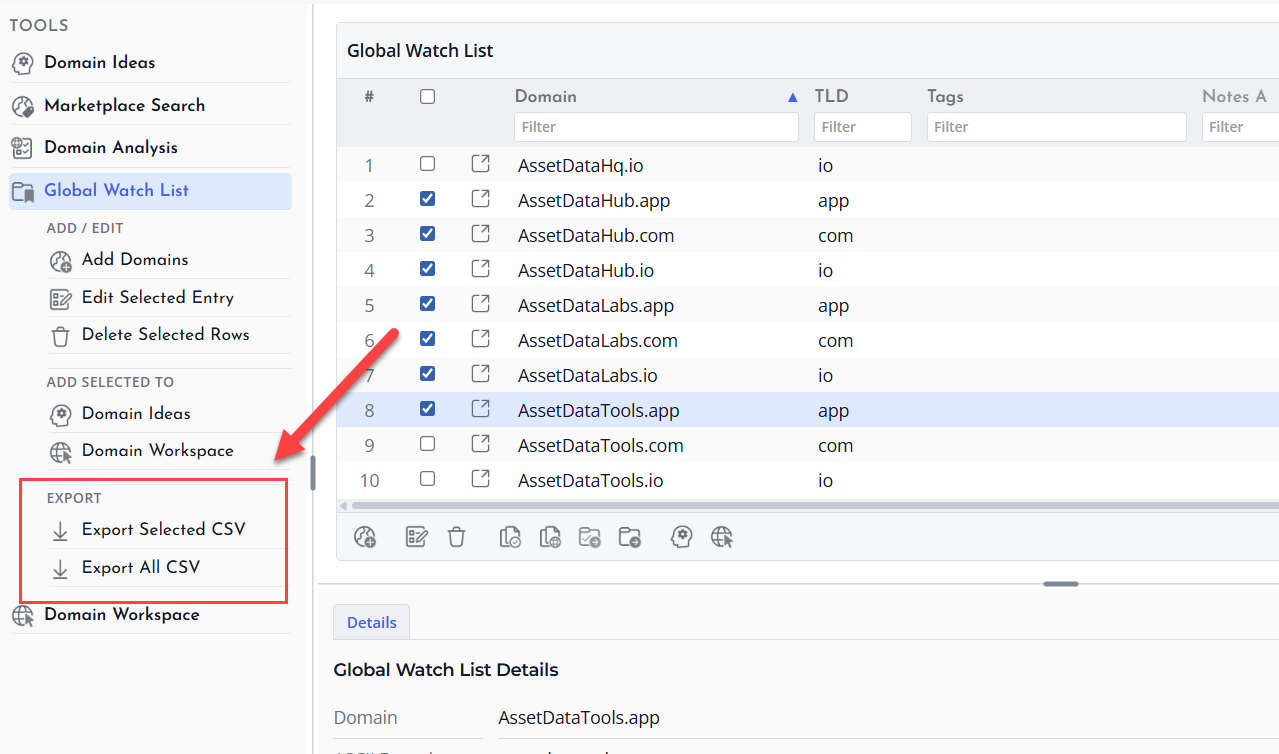
Choose the Export Action
Open the Global Watch List and use the export action. Review the export options and choose a location where you can easily find the file later.
Check the Exported File
After exporting, open the file in a spreadsheet or text editor to confirm that the domain names, tags, and notes were saved as expected.
