
Domain Name Analyzer Desktop User Guide
Domain Analysis and Saved Results
What Domain Analysis Does
Domain Analysis checks one domain at a time and summarizes registration, DNS, email DNS, website redirect behavior, HTTP response headers, website technology hints, cookie basics, and SSL certificate status in one report. It is useful when you want a quick health-style review of a single domain rather than a batch lookup across many rows.
Opening Domain Analysis
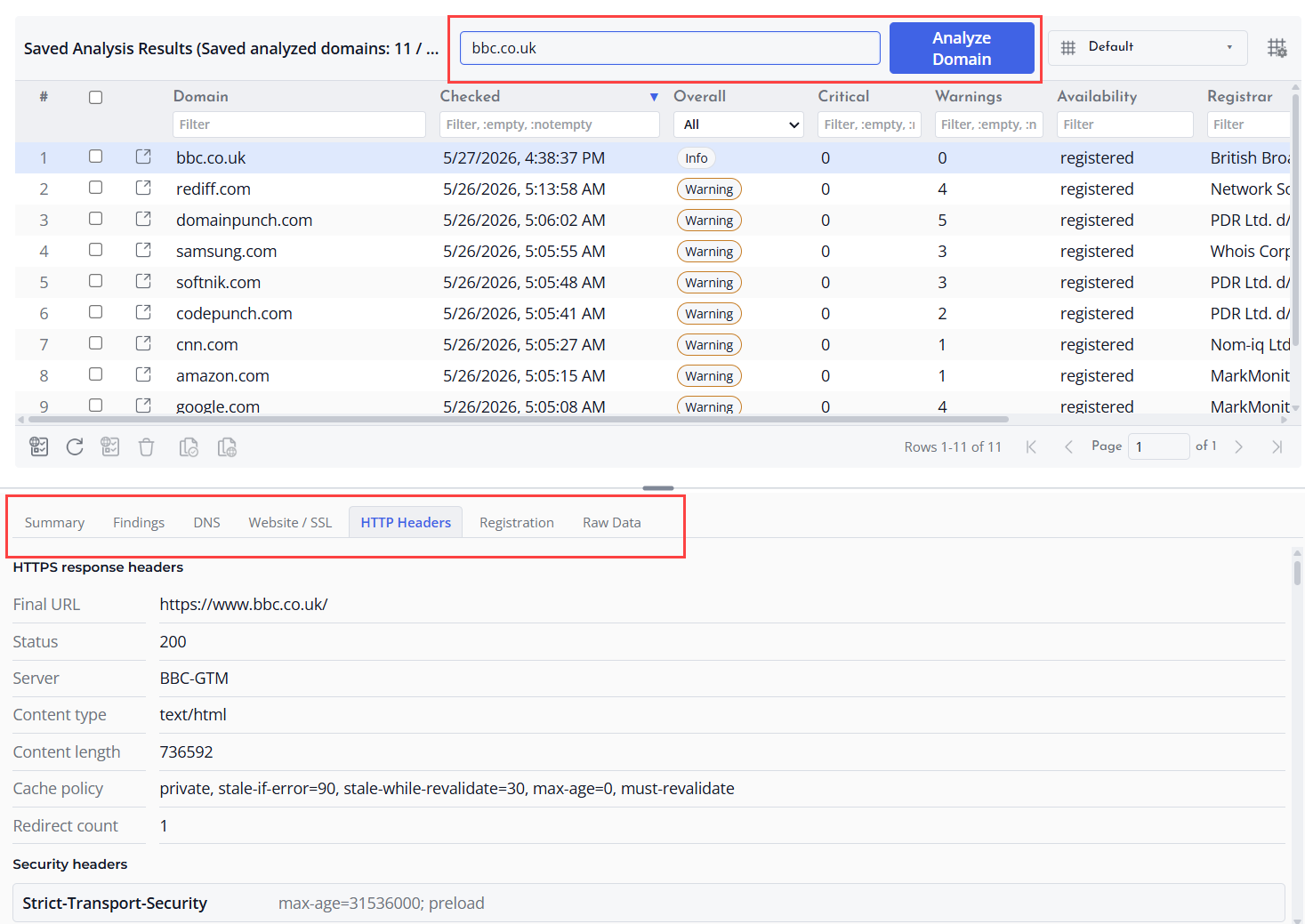
Open Domain Analysis from the left tools pane or from the Domain Analysis menu. You can also open analysis from supported domain actions when a domain is already selected.
Running an Analysis
Enter a domain name such as example.com and choose Analyze Domain. Domain Name Analyzer Desktop checks the domain and then displays the report in the analysis area.
Reading the Report
The report highlights findings and groups supporting data into areas such as registration, DNS, email DNS, website and SSL, HTTP headers, security signals, and raw data. Use these sections to understand whether the domain has registration data, name servers, address records, mail records, website responses, redirects, security headers, cookie signals, or certificate information.
Saved Analysis Results
Saved Analysis Results keep domain analysis reports in the current project so you can review them later without immediately rerunning the same analysis.
Reviewing a Saved Report
Select a saved analysis row to show details in the lower pane. The lower pane can show summary information, findings, DNS data, website and SSL details, HTTP headers, registration details, and raw data.
Refreshing, Reanalyzing, and Deleting
Use refresh when you want to reload the saved results table. Use the analyze-again action for a selected saved domain when you want a new report based on current domain, DNS, website, and SSL conditions. Delete saved analysis results that you no longer need.
Basic Edition Behavior
In Basic edition, Domain Analysis is designed for one-domain-at-a-time review and can save up to 50 analyzed domains in the current project. Remove older saved results when you no longer need them.
