
Domain Name Analyzer Desktop User Guide
Viewing RDAP Details, Raw Data, History, and Reparsed Data
Viewing RDAP Details
When to use RDAP details
Use RDAP details when you want to review the registration information saved for a domain in the Domain Workspace. RDAP details can help you understand the registrar, important dates, name servers, registrant country, and lookup status when those fields are provided by the registry or registrar.
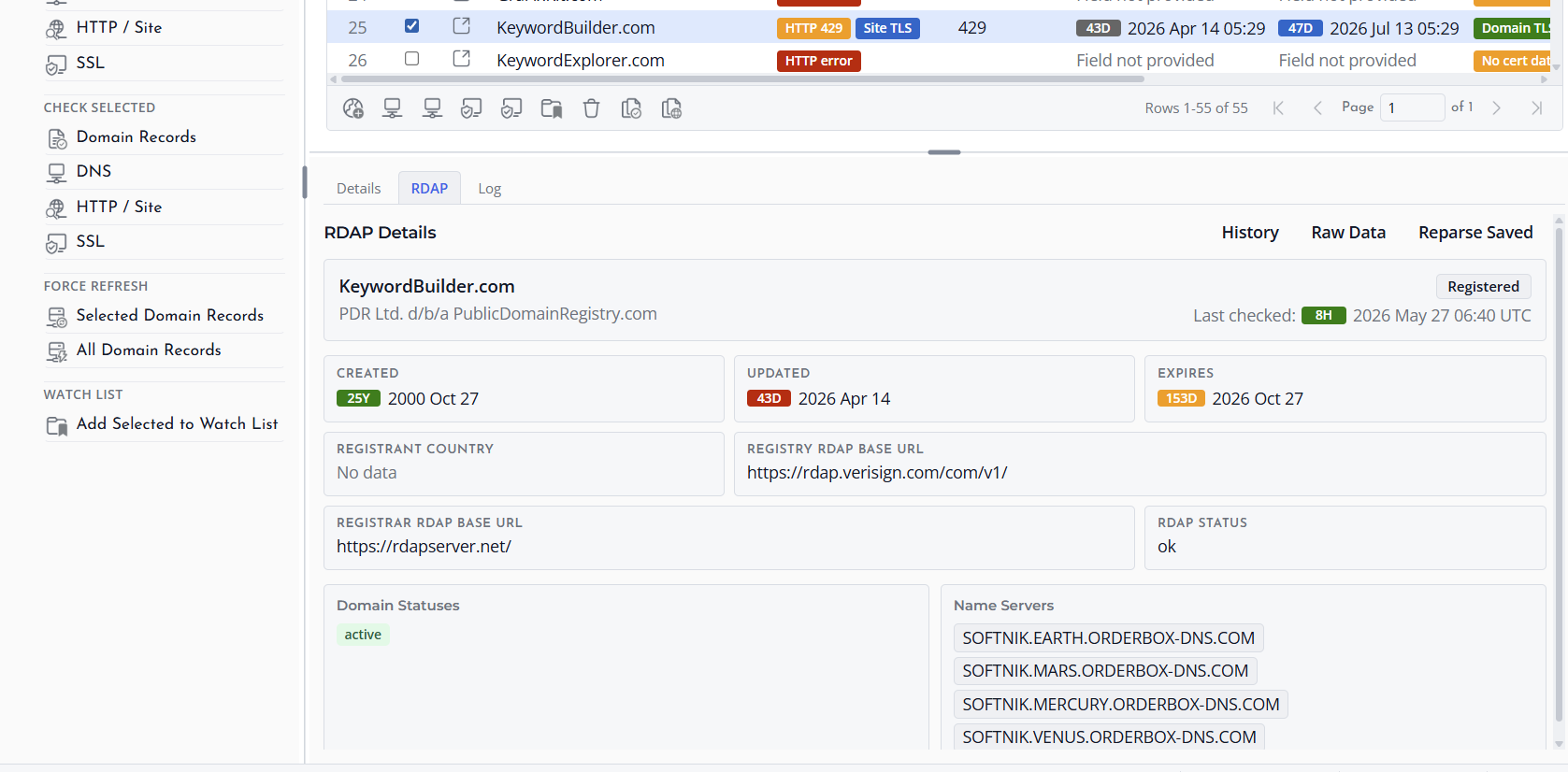
Selecting a domain
Select a domain row in the Domain Workspace, then review the information shown in the details pane. The exact fields shown depend on the lookup result and on the information supplied by the RDAP service for that domain.
Understanding missing fields
Some RDAP records do not provide every possible field. Use wording such as No data, Field not provided, Not checked, or Lookup failed to understand the state of a field without confusing it with domain registration availability.
Refreshing details
If the data is old or incomplete, run a lookup again from the RDAP actions. Use force refresh only when you deliberately want to bypass saved or recent lookup data and ask the source again.
Viewing Raw Data and History
Why raw data is useful
Raw data and history help you review the source information behind parsed domain fields. This can be useful when a field appears incomplete, when you want to compare previous lookup results, or when support asks you to verify the original lookup response.
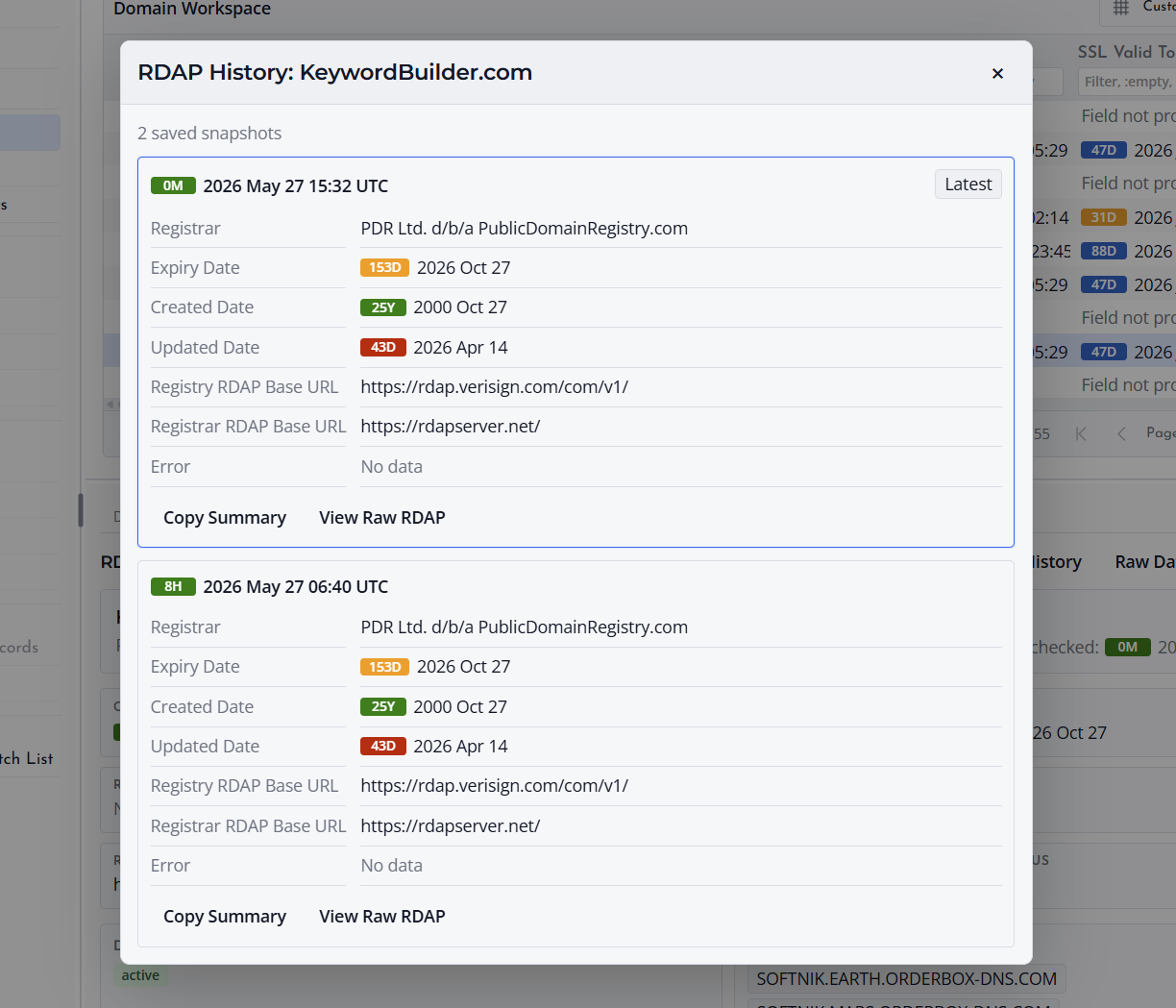
What you may see
Depending on the lookup method and saved result, the raw view may show RDAP JSON, WHOIS text, lookup timestamps, server information, method information, and any status messages recorded during the lookup.
Use raw data carefully
Raw data is intended for review and troubleshooting. For everyday work, use the normal Domain Workspace columns and details pane because they present the most important fields in a cleaner form.
Reparsing Saved RDAP Data
What reparsing does
Reparsing saved RDAP data asks Domain Name Analyzer Desktop to read the saved RDAP response again and update the parsed fields shown in the Domain Workspace. It does not require a new online lookup when suitable saved data already exists.
When to reparse
Use reparse when the application has saved RDAP data but the displayed fields need to be refreshed from that saved response. This can be useful after an application update improves how RDAP responses are interpreted.
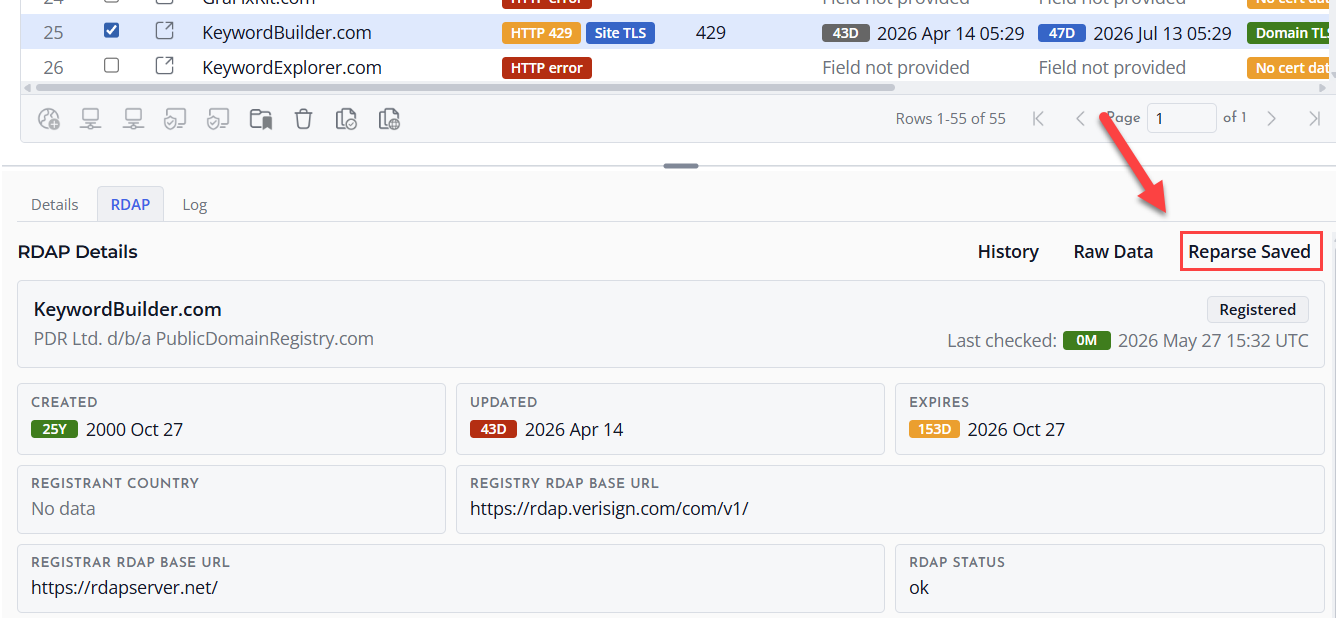
When to run a new lookup instead
If you need the latest registry or registrar information, run a new lookup or force refresh instead. Reparsing works from saved data, while a fresh lookup asks the source for current information.
