
Domain Name Analyzer Desktop User Guide
License, Help, and Support
License and Registration
Basic Edition
Domain Name Analyzer Desktop Basic Edition is free. You can use the Basic Edition without treating it as a trial.
Business and Enterprise Editions
Business Edition and Enterprise Edition may enable additional capabilities intended for professional or larger-scale domain workflows. Edition differences should be considered only when a feature or license option is relevant to the task you are performing.
Entering Registration Details
Open License and Registration from the application menu when you need to enter or update registration information. Follow the prompts shown in the registration window.
Using the Documentation Link
Open the User Guide
Use the Documentation link when you want help while working in Domain Name Analyzer Desktop. The link opens the online user guide for the application.
Where to Find It
The Documentation link may be available from the Help menu and from the application toolbar. Use whichever location is most convenient for the workflow you are in.
Using Documentation Alongside the App
Keep the documentation open while you work through a task. This is especially helpful when importing data, checking availability, reviewing RDAP data, or changing preferences.
Opening the Home Page
Use the Home Page Link
The Home Page link opens the Domain Name Analyzer Desktop product page. Use it when you want product information, downloads, edition information, or related resources.
Getting Technical Support
When to Contact Support
Contact technical support when you need help with installation, licensing, application behavior, lookup problems, or a workflow that does not produce the expected result.
Open the Support Link
Use the Technical Support option from the Help menu to open the support page in your browser.
What to Include
When requesting help, include the application version, your operating system, a short description of the problem, and the steps that led to it. Do not include private registration codes or sensitive domain portfolio information unless support specifically asks for it through an appropriate support channel.
Checking Version Information
Why Version Information Matters
Version information helps you confirm which release of Domain Name Analyzer Desktop you are using. It is also useful when checking documentation, reporting a problem, or confirming whether an update has been installed.
Open Version Information
Use the About Domain Name Analyzer option from the Help menu to open the online version information page for your current release. This page may include the current version number, build details, and changes from previous builds.
About Domain Name Analyzer
Open the About Window
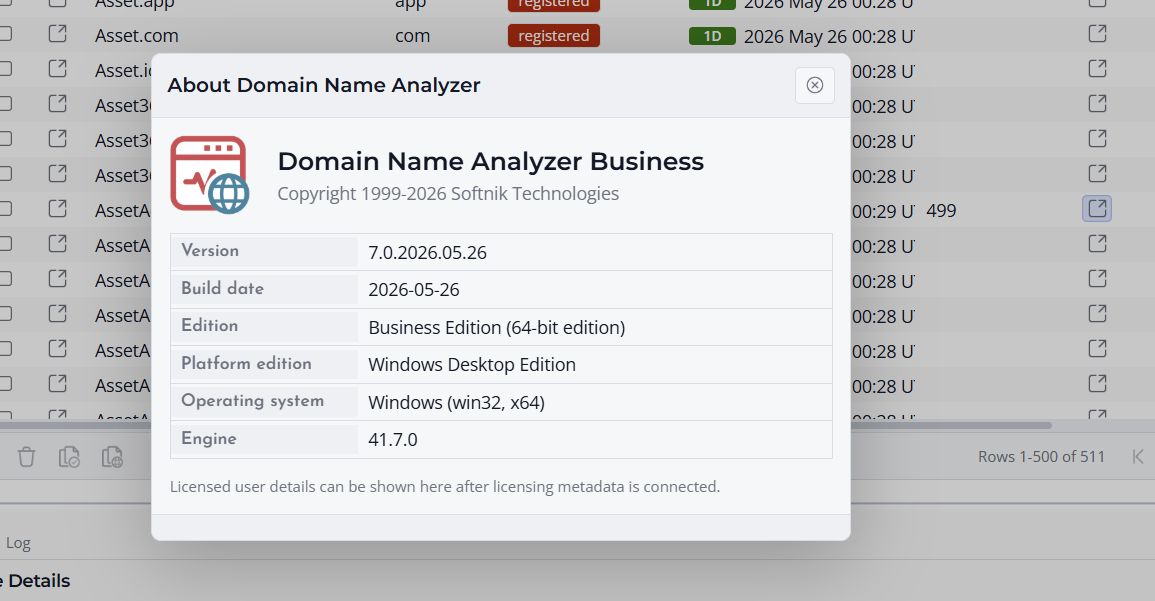
Use About Domain Name Analyzer from the Help menu to view product information for the installed application.
What the About Window Shows
The About window may show the product name, edition or platform information, version details, copyright information, and links related to the product.
When to Use It
Open the About window when you need to confirm which application you are using, check the installed version, or provide product details while requesting support.
Use Version Details for Support
If you contact technical support, include the version and build information shown in Help > About, along with the edition you are using. This helps support understand the exact release and build you are running.
