
Domain Name Analyzer Desktop User Guide
Using Domain Ideas
What Are Domain Ideas?
Purpose of Domain Ideas
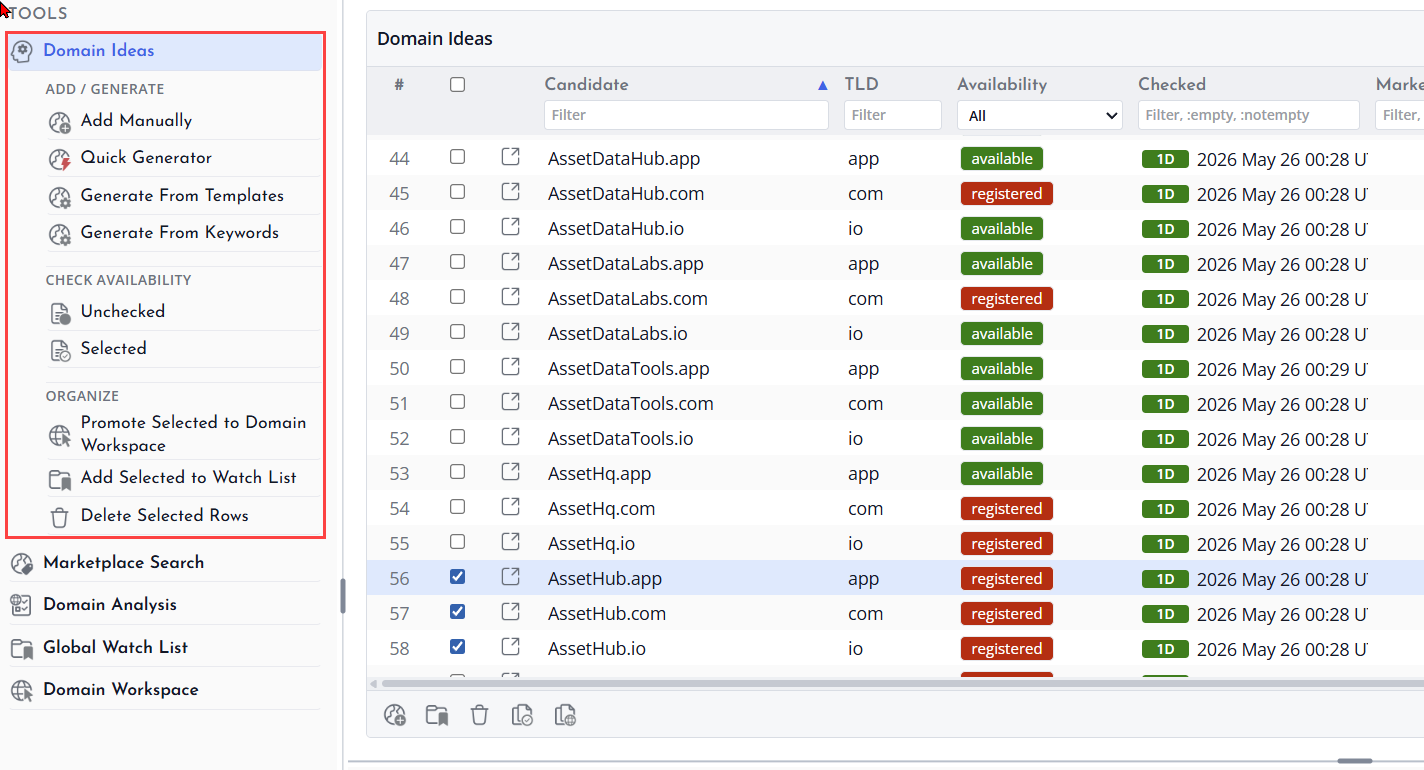
Domain Ideas is a workspace for creating, reviewing, and checking candidate domain names before you decide whether to track them in the main Domain Workspace.
You can add candidate domains manually, generate them from words or templates, check availability, and promote useful candidates to the Domain Workspace.
Candidate Domains
A candidate domain is a possible domain name you are considering. Candidate rows are useful for brainstorming and availability checking, but they do not have to become tracked domains.
Moving from Ideas to Tracked Domains
When a candidate is useful, promote it to the Domain Workspace. This keeps the Domain Ideas area focused on research while the Domain Workspace holds domains you want to manage more closely.
Adding Candidate Domains Manually
When to Add Manually
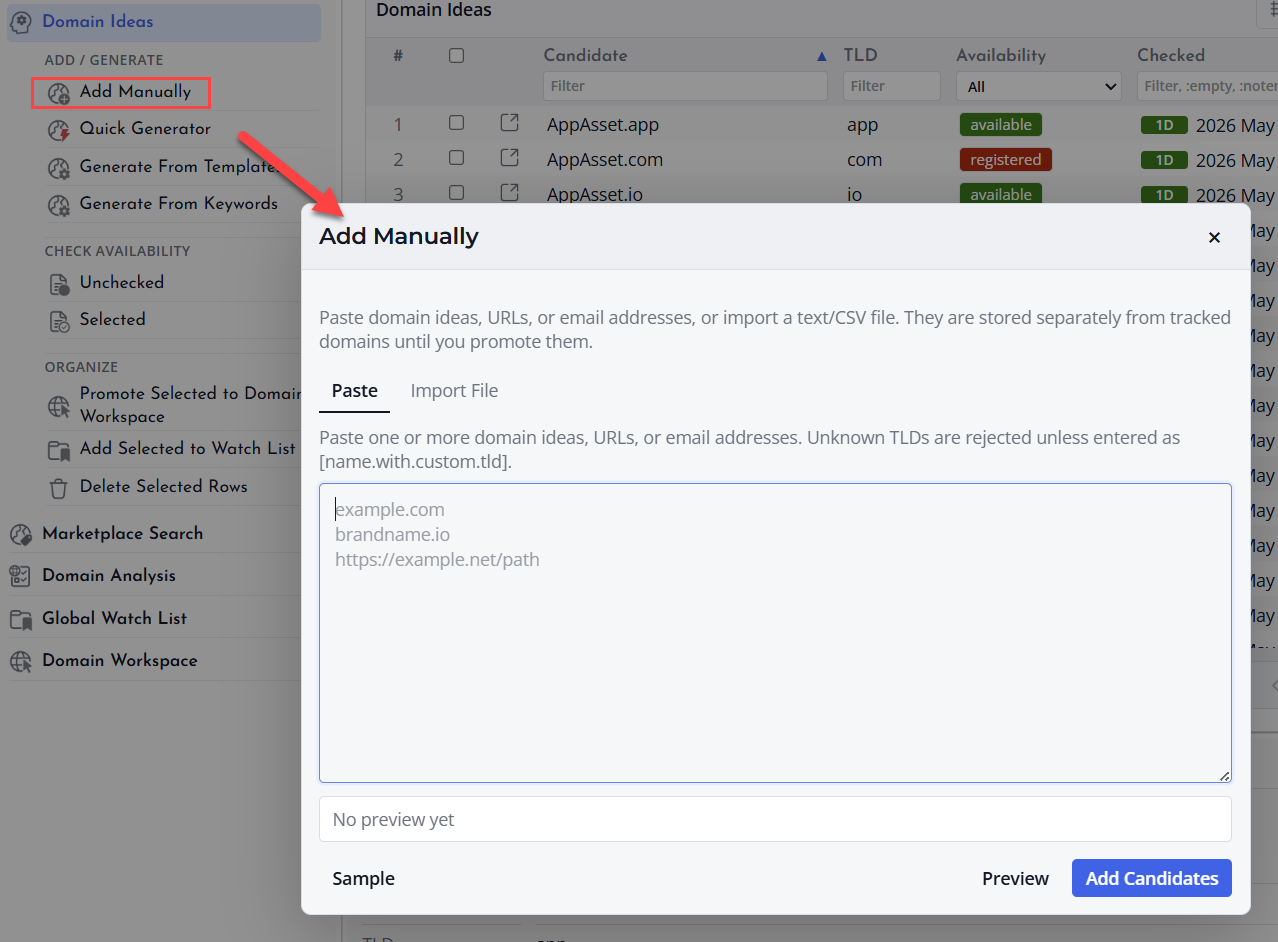
Add candidate domains manually when you already have a short list of names to review. This is useful for names collected from a meeting, a text note, a customer request, or your own research.
Enter Candidate Names
Open the manual add option in Domain Ideas and enter the domain names you want to add. The application can help normalize domain text so that candidate rows are easier to review.
Review the Added Candidates
After adding candidates, review the table for duplicates, spelling issues, and names that should be removed before checking availability.
