
Domain Name Analyzer Desktop User Guide
Previewing Candidates and Checking Availability
Previewing Candidate Domains
Why Preview Candidates
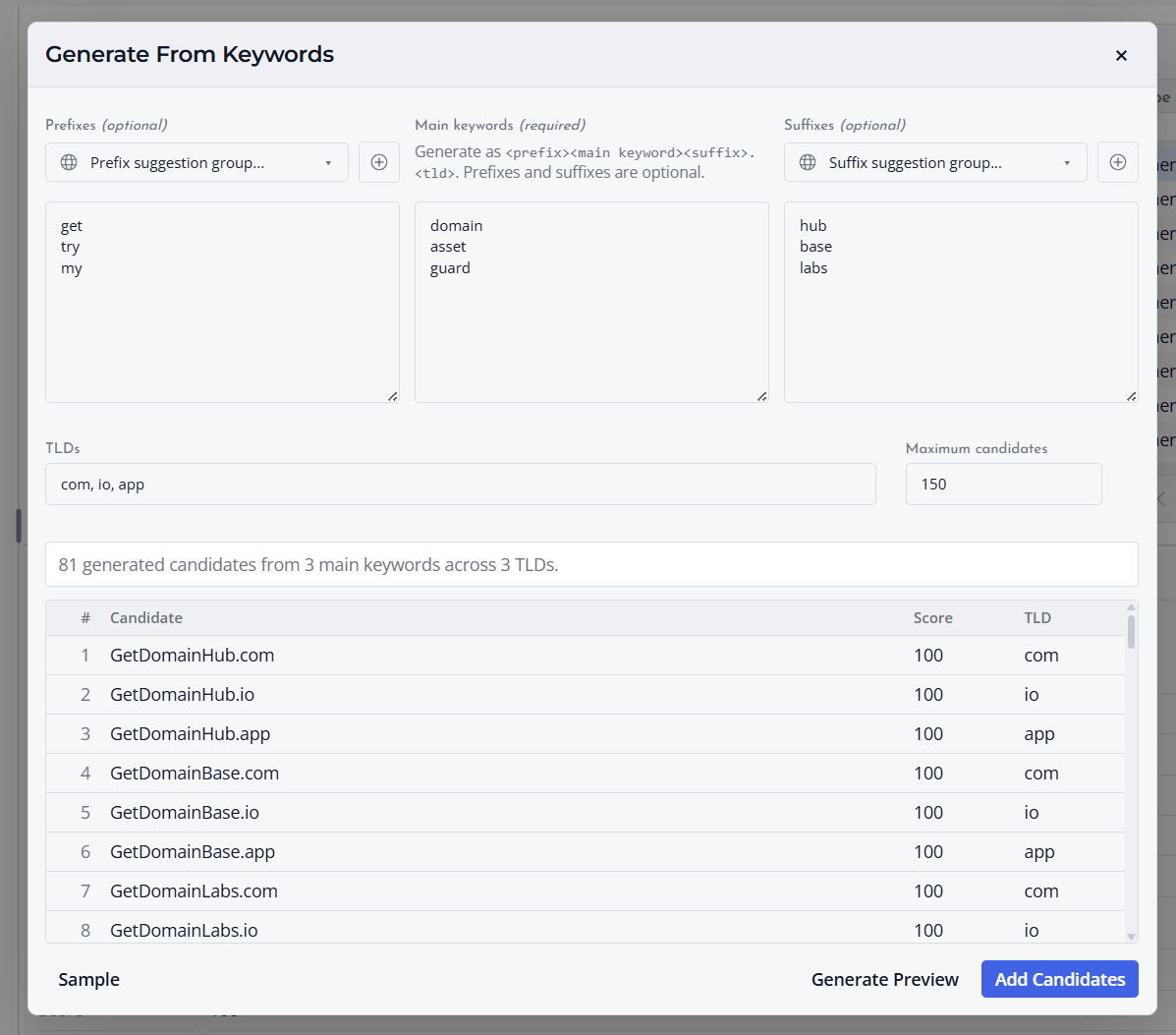
Preview candidate domains before adding or checking them so you can catch obvious issues early. Previewing helps reduce clutter and keeps lookup work focused on useful names.
Check the Candidate List
Look for duplicates, unwanted extensions, spelling mistakes, overly long names, and names that do not match the purpose of the project.
Add Only Useful Candidates
After reviewing the preview, add the candidates that are worth keeping. You can continue editing the candidate table after they are added.
Checking Candidate Availability
What Availability Checking Does
Availability checking tests whether candidate domains appear to be available, registered, or uncertain based on the lookup result returned for each domain.
Start an Availability Check
Select the candidate domains you want to check, or use the available action for the current candidate list. The table updates as lookup results are received.
Review Results Carefully
Use availability results as a practical guide, not as a final purchase guarantee. Always confirm availability with your registrar before making a registration decision.
Understanding Availability Status
Common Availability Values
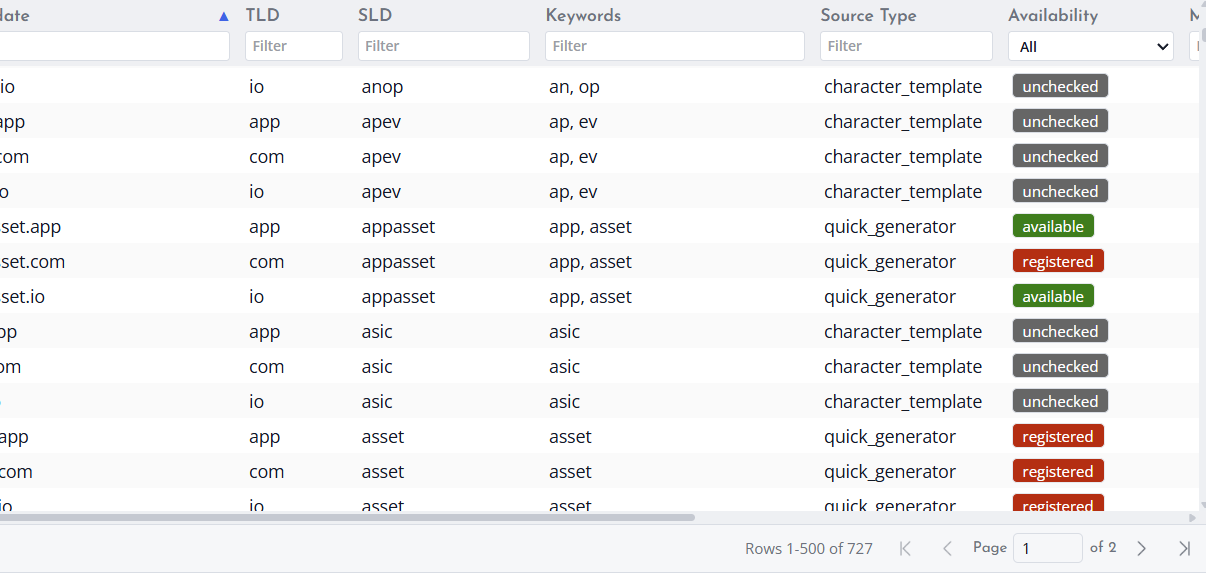
Candidate availability status helps you understand the result of a lookup. A domain may be shown as available, registered, unknown, unchecked, or error depending on the result.
What Each Status Means
Available means the lookup suggests the domain may be open for registration. Registered means the domain appears to already be registered. Unchecked means no lookup has been run for that row.
Unknown means the lookup did not provide a clear result. Error means the lookup could not be completed successfully. In both cases, review the details or check again later.
Confirm Before Registering
Availability can change quickly. Confirm the final result with your registrar before purchasing or making business decisions.
Viewing Recent Lookup Details
What Recent Lookup Details Show
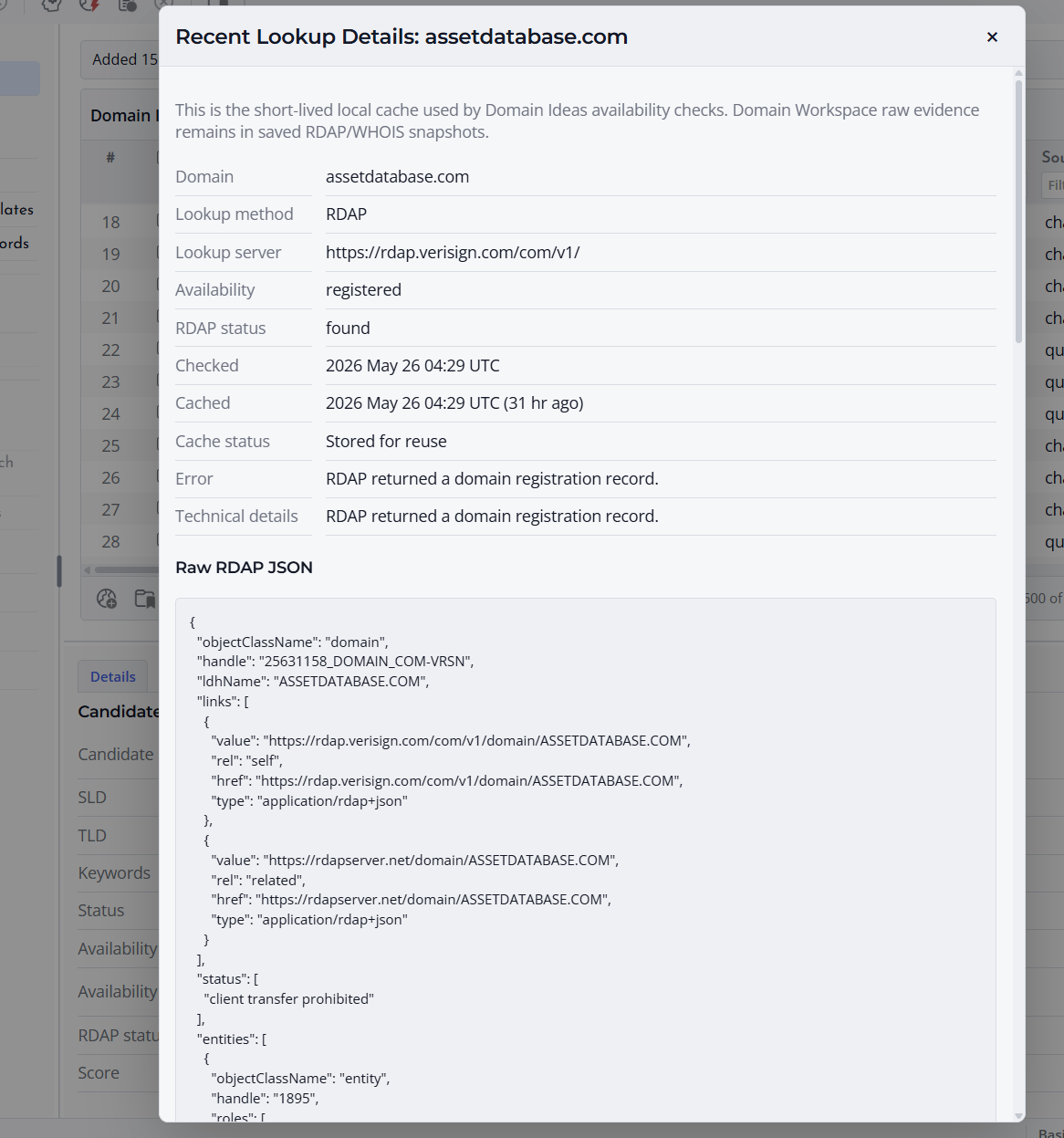
Recent Lookup Details help you review information from recent availability or lookup activity. This can include the lookup method, checked time, and available raw or formatted response details.
When to Use Lookup Details
Use lookup details when a result needs explanation, when a status is unclear, or when you want to understand why a candidate was marked a certain way.
Understand the Limits
Recent lookup details are meant for review and troubleshooting. They should not replace final confirmation from a registrar or authoritative source when you are making a registration decision.
