
The Cron Job
Some modern Linux distributions prefer systemd timers instead of traditional cron jobs (for example: Amazon Linux 2023).
If your system uses systemd, we recommend using the systemd timer method instead of cron.
What is Cron?
Cron is a utility that allows Linux systems to run scripts or commands at scheduled times or periodic intervals.
Cron jobs are configured using the crontab utility.
If your server has a hosting control panel (for example: cPanel or Plesk), cron jobs can usually be configured through the control panel interface.
On Windows systems you can use Task Scheduler (schtasks) to run scheduled tasks. Please see the Windows Task Scheduler section.
Please contact us if you have difficulty setting up the cron job.
Cron Script
Watch My Domains Server processes the lookup queue using the cron.php script. This script should be executed periodically to process domain checks and scheduled tasks.
You can schedule this using a cron job.
Example Crontab Entry
Here is a sample crontab entry. Replace the path with the actual location of your cron.php file.
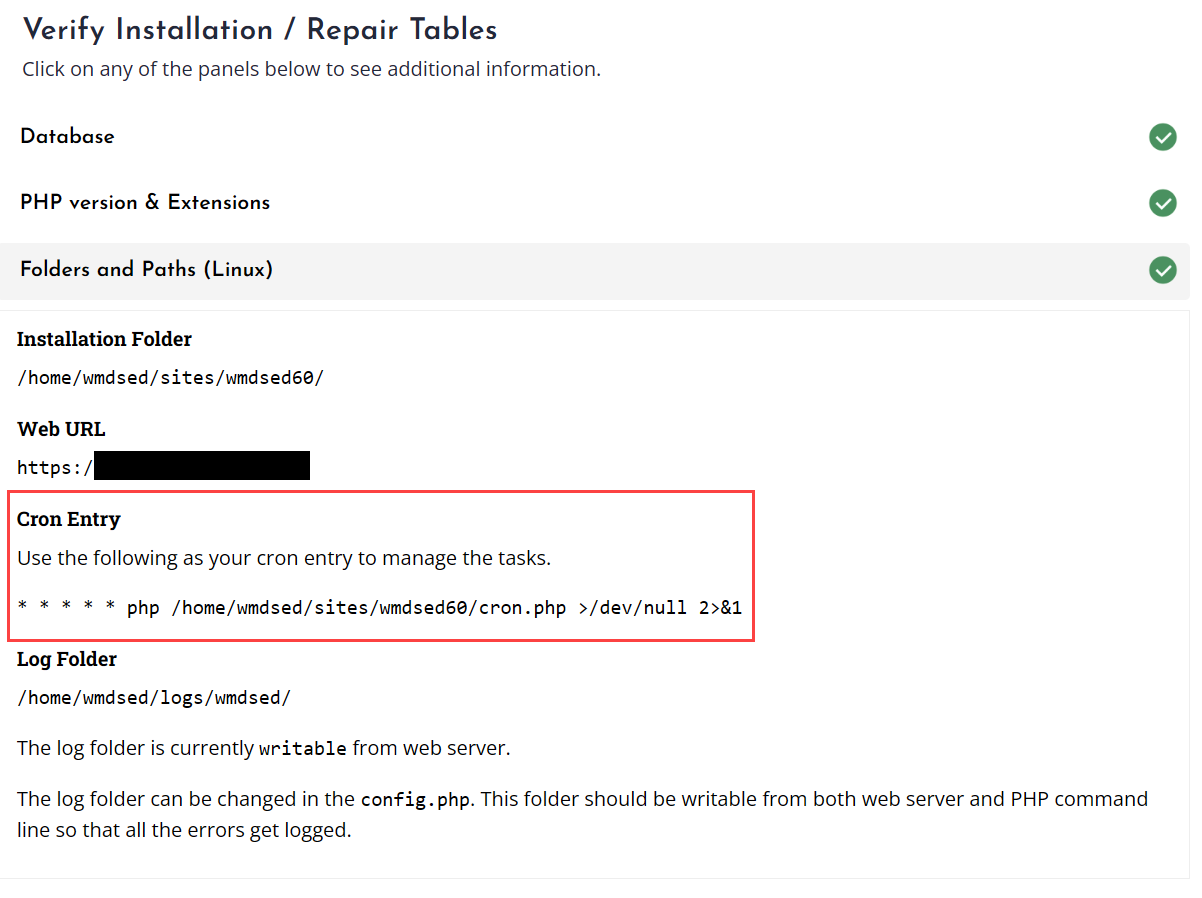
* * * * * php /home/softnik/public_html/wmdsed60/cron.php >/dev/null 2>&1
This example runs the script once every minute.
The exact cron command for your installation can also be found in the application's Verify screen under the Folders and Paths section.
Debian / Ubuntu Note
Debian and Ubuntu use separate PHP configuration files for the web server and the command line interface (CLI).
Cron runs using the CLI version of PHP, so you must ensure that ionCube Loader is enabled in the CLI php.ini.
If ionCube is only enabled in the web server PHP configuration, the cron job will fail.
